While Elementor Host provides a seamless environment for managing your website, you may encounter situations where you need to move your domain name to another registrar. Transferring your domain requires unlocking it and obtaining an authorization code (EPP/Auth code) from your Elementor account to provide to your new registrar.
To transfer your domain from Elementor, you must unlock the domain in your My Elementor dashboard and retrieve your EPP/Auth code. Provide this code to your new registrar to initiate the move.
How do I prepare my domain for transfer?
To start the relocation of your domain, you must first disable the security locks within your account settings.
- Go to your My Elementor dashboard.
- Navigate to the Domains tab at the top of the screen.
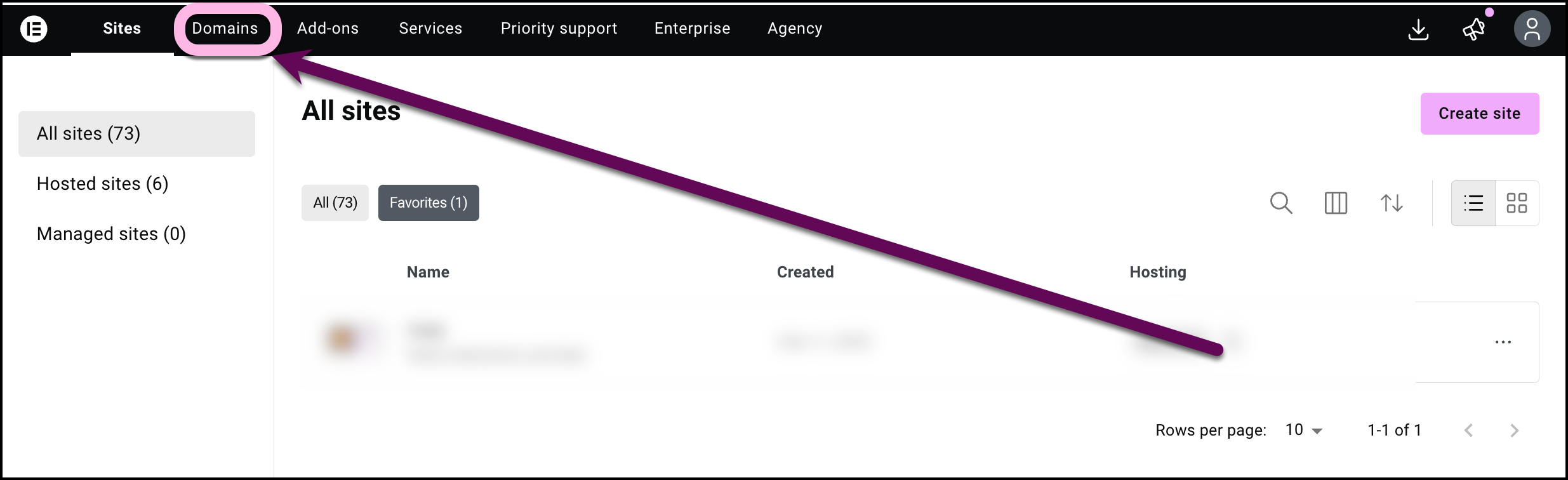
- Click on the domain from the list of domains to transfer by selecting it.
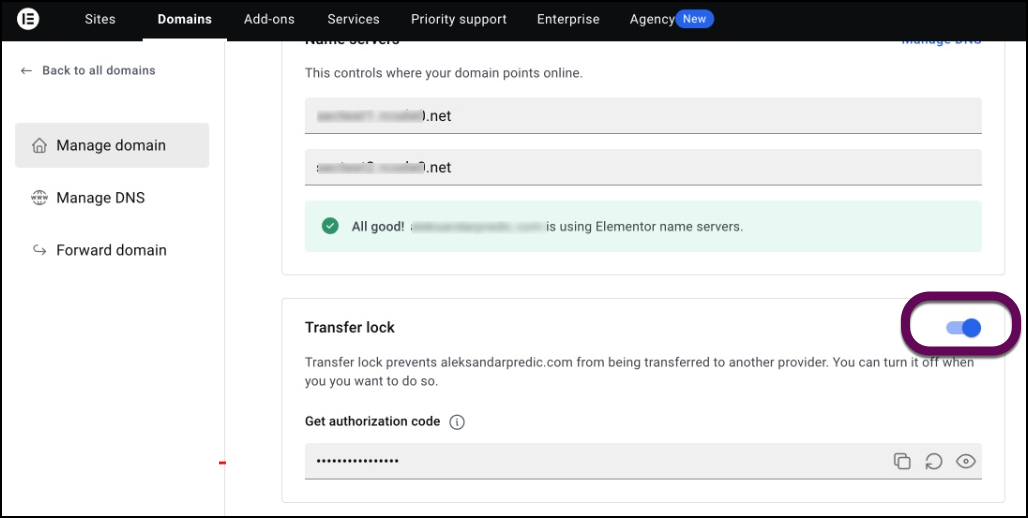
- Locate the Transfer lock section. Toggle the switch to the off (unlocked) position. This removes the lock that prevents your domain from being transferred to another provider.
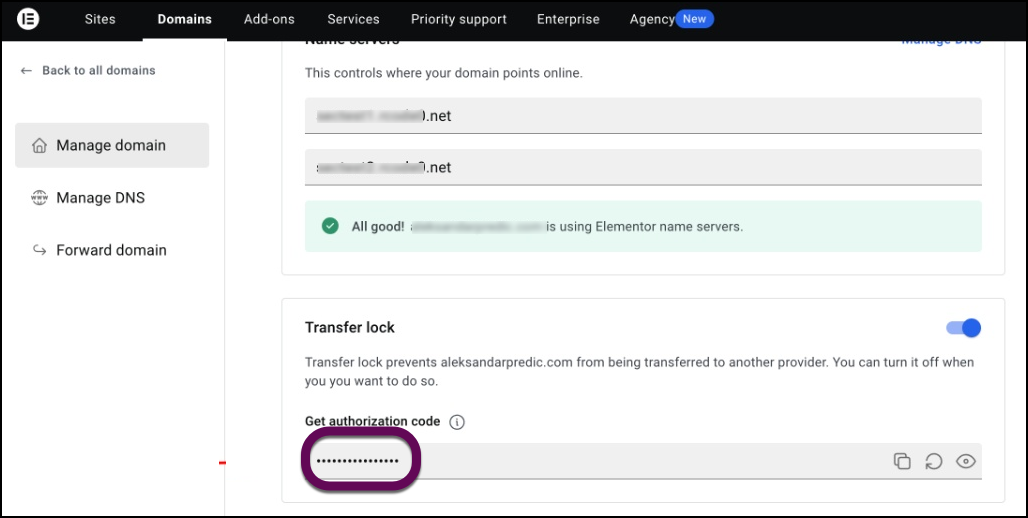
- Under the Get authorization code section, click the copy or view icon to retrieve your unique EPP/Auth code.
How do I initiate the transfer with a new registrar?
After you have the necessary credentials from Elementor, you must complete the process on your new provider’s platform.
- Go to your new domain registrar’s website and initiate a domain transfer request.
- When prompted, provide the authorization code you copied from your My Elementor dashboard.
- Monitor your email inbox associated with the domain. You will receive an approval link or verification request to confirm the transfer.
- Approve the verification to authorize and finalize the transfer process.

