Site Management for WordPress
Ein Ort, an dem du alle deine WordPress-Seiten verwalten kannst
Überwache, pflege und optimiere alle deine WordPress-Seiten über ein zentrales Dashboard.
Kostenlos starten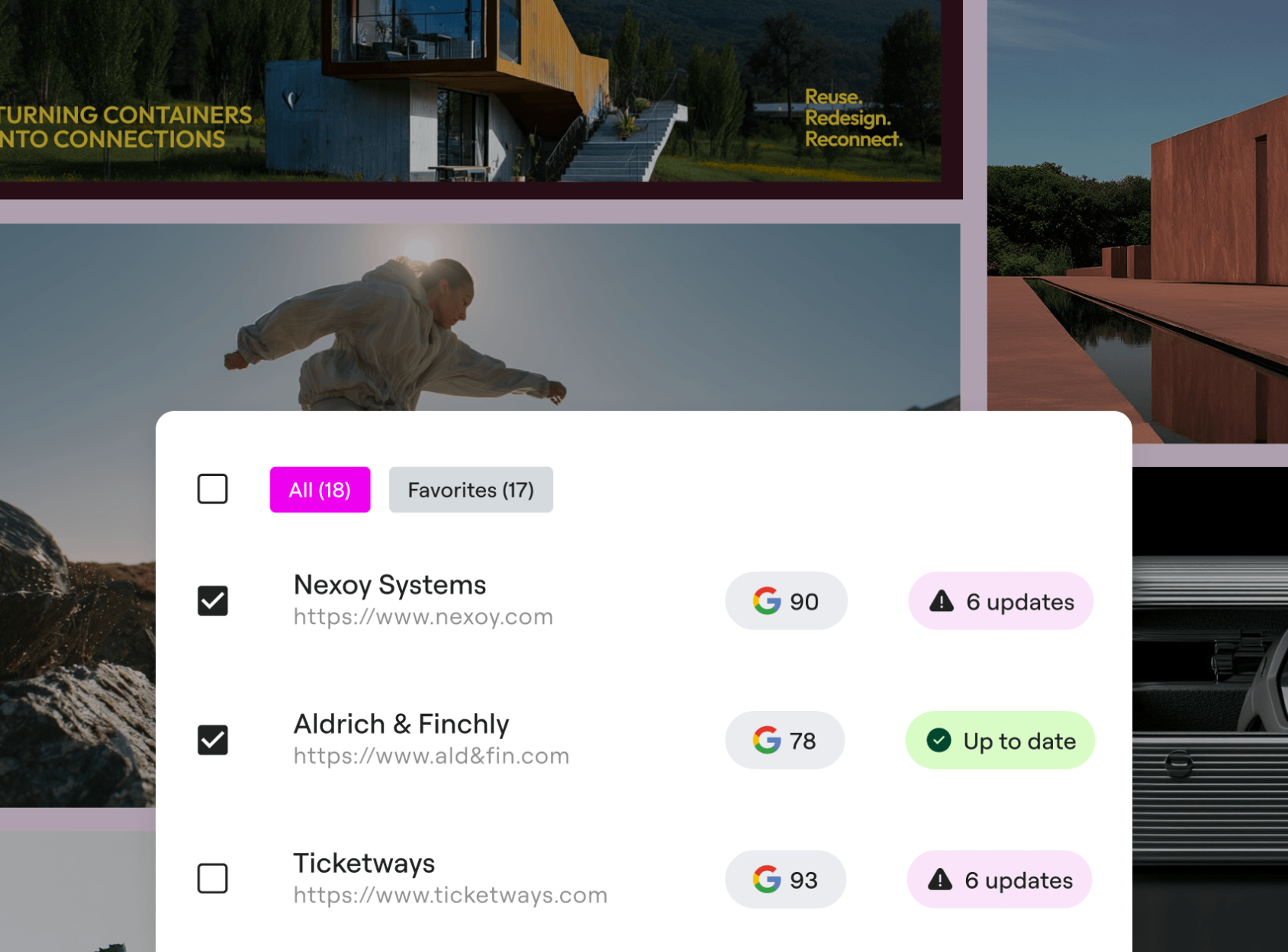
Websites in Echtzeit überwachen
Erhalte über eine zentrale Kommandozentrale in Echtzeit Einblick in Verfügbarkeit, Geschwindigkeit, Website-Zustand und Sicherheit.
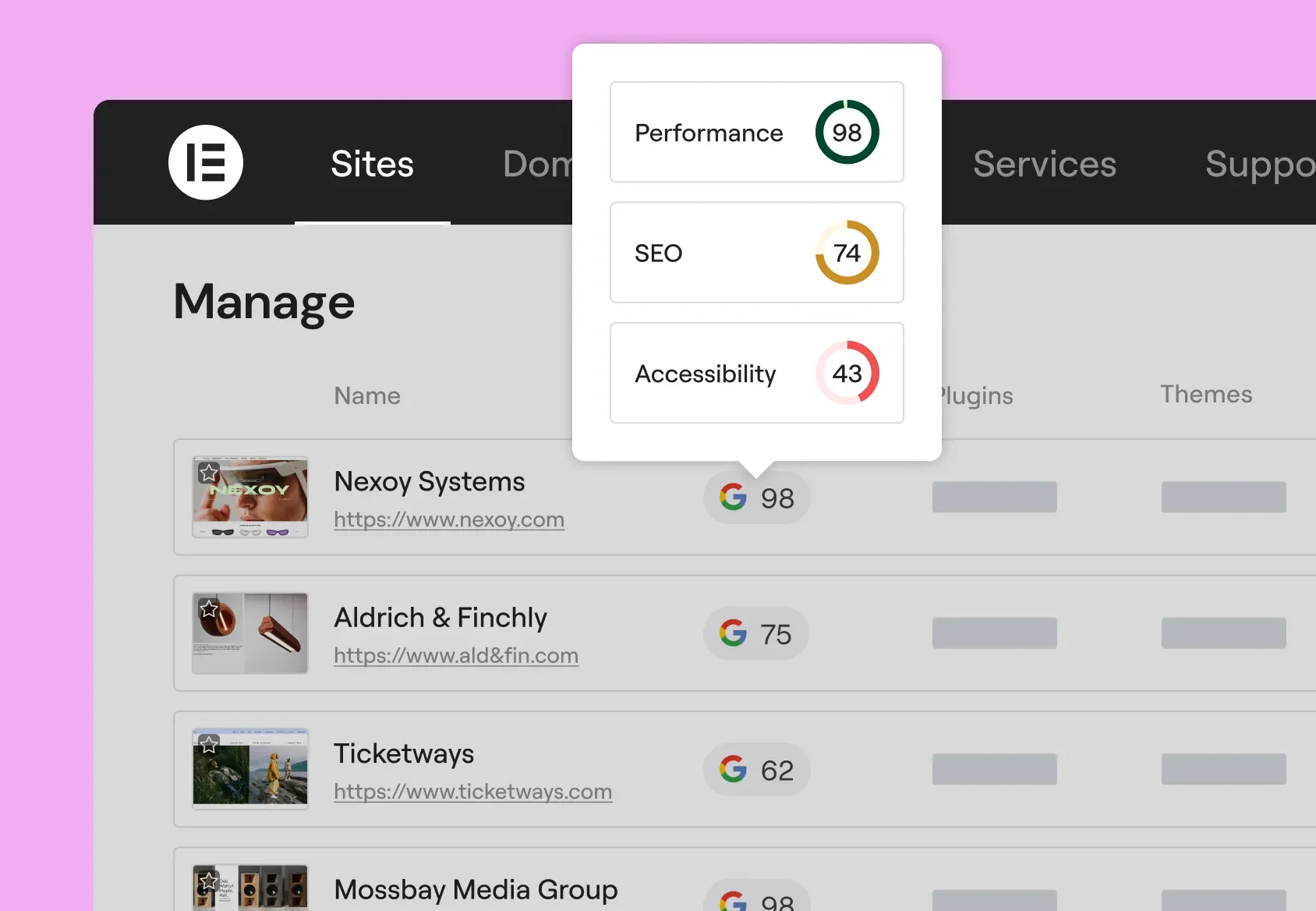
Optimiere alle deine Websites
Aktualisiere Plugins, Themes oder WordPress-Versionen auf all deinen Websites gleichzeitig.
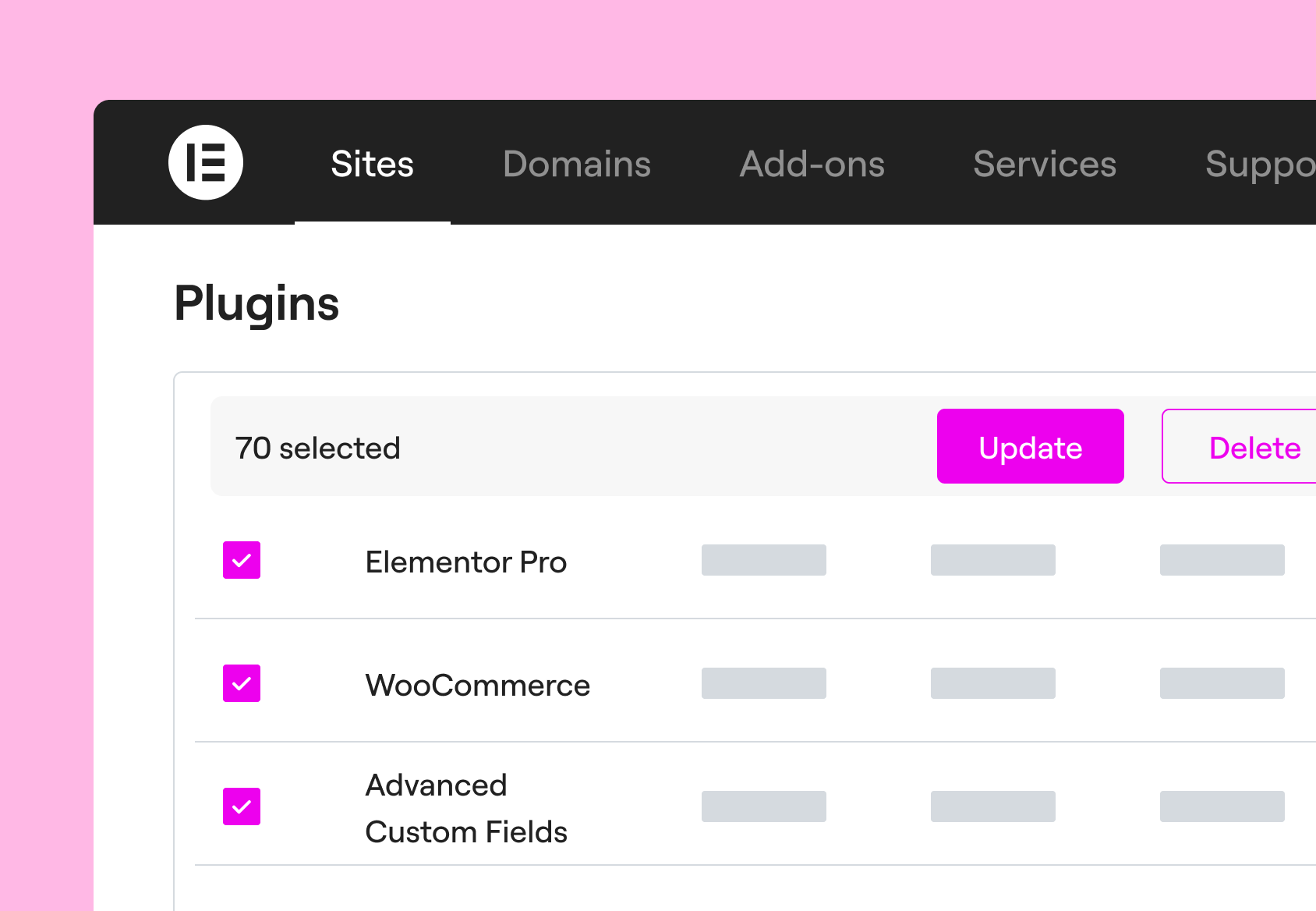
Pflege deine Websites ganz entspannt
Sorge dafür, dass jede Website dank sicherer Updates, Ein-Klick-Rollbacks und proaktiver Wartung stets optimal läuft.
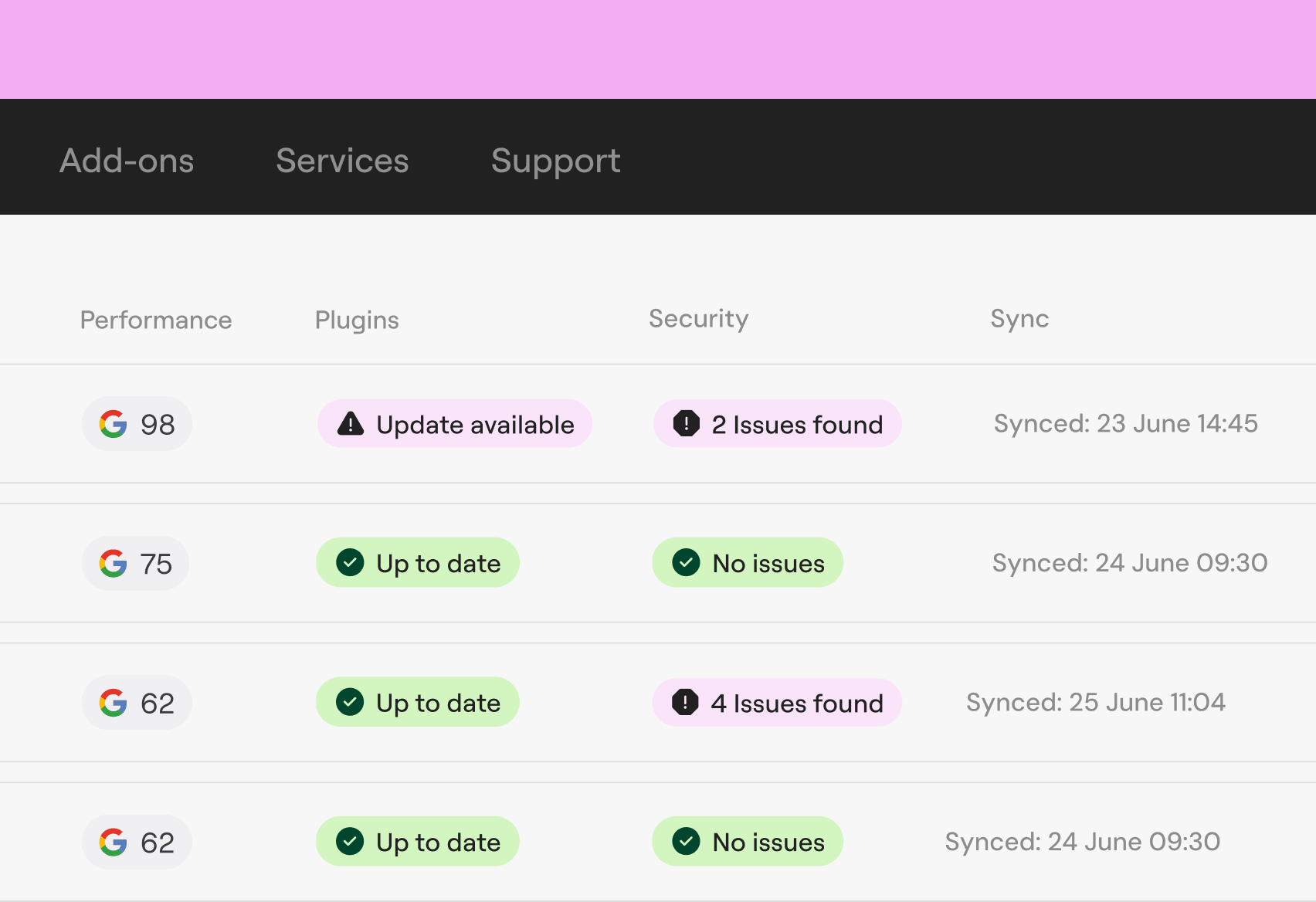
Sei immer einen Schritt voraus – an jedem Standort, rund um die Uhr
Erkenne und behebe Probleme proaktiv. Sorge dafür, dass deine Kunden nur eine Website erleben, die immer einwandfrei funktioniert.
Vertraut von Agenturen und Web-Creatorn

Elementor One: everything built in
The premium version of Manage comes built into every Elementor One subscription, so you don’t just spot issues, you can fix them instantly.
With Elementor One, you also access Angie, Image Optimizer, Ally, Site Mailer, Manage and Cookiez, keeping every client site running at its best.
Start Manage for free
Verschaffe dir über ein zentrales Dashboard sofort einen Überblick über den Zustand deiner verbundenen Websites.
Möchtest du Maßnahmen wie Massenaktualisierungen, Datenbankbereinigung und vieles mehr durchführen? Die Premium-Funktionen sind exklusiv in den unten aufgeführten Elementor One-Tarifen enthalten.
One
/Mo
/Mo
- Der gesamte Funktionsumfang von „ “ sowie:
- 25,000 monatliche One-Credits Editor Pro benötigt 0 Credits. Ein gemeinsamer Credit-Pool steht zur flexiblen Nutzung für KI-Funktionen, Bildoptimierung, Barrierefreiheitskorrekturen, E-Mails und zusätzliche Funktionen zur Verfügung, sobald diese hinzugefügt werden.
- 1 Website
- All features from Pro plans, including
- 85 Editor Pro-Widgets(enthalten)
- KI-generierter Code, Text, Bilder und Layouts (enthalten)Mach deinen Arbeitsablauf mit starken KI-Tools wie individuell , Layoutgestaltung, Bilderstellung und Content-Erstellung noch besser.
- Bildoptimierung (Im Wert von /Jahr)(enthalten) Optimiere die Website-Performance mit Massenbildverarbeitung für die Konvertierung in WebP und AVIF.
- Barrierefreiheit der Website (Im Wert von /Jahr)(enthalten) Verbessere die Barrierefreiheit deiner Website mit Scans, KI-gestützten Korrekturen und websiteweiten Verbesserungen, sowie einem individuell anpassbaren Usability-Widget mit über 15 Tools, Screenreader-Unterstützung, Sprachoptionen, White-Labeling und Nutzungsanalysen.
- Cookie Einwilligung (Neu)Füge deiner Website ein Cookie Banner hinzu – mit Cookie Scans, Skriptblockierung, Einwilligungsprotokollen und Unterstützung für DSGVO, CCPA und andere Datenschutzbestimmungen sowie voller Kontrolle über das Design und die Gestaltung des Banners.
- Store 30 Cloud Templates (enthalten)Speicher Abschnitte, Container und andere Designelemente in der Cloud, sodass sie über alle deiner verbundenen Websites hinweg zugänglich sind und einen flexibleren und skalierbareren Workflow ermöglichen.
- Kollaborative Notizen(enthalten)
- E-Mail-Zustellbarkeit (Im Wert von /Jahr)(enthalten) Verschick zuverlässige Transaktions-E-Mails mit eingebautem Tracking, Tools zur Fehlerbehebung und erweiterter Authentifizierung, ganz ohne SMTP-Plugin. Nutze individuell , detaillierte Protokolle, Optionen zum erneuten Senden/Testen und intelligentes Unterdrückungsmanagement für eine reibungslosere und professionellere E-Mail-Performance.
- Website Verwaltung (Neu) Ein spezielles Dashboard deine Website. Über eine einzige Oberfläche kannst du Plugins und Themes aktualisieren, die Leistung überwachen, Sicherheitsrisiken erkennen und die Datenbank deiner Website optimieren.(enthalten)
- Der gesamte Funktionsumfang von „ “ sowie:
- 25,000 monatliche One-Credits Editor Pro benötigt 0 Credits. Ein gemeinsamer Credit-Pool steht zur flexiblen Nutzung für KI-Funktionen, Bildoptimierung, Barrierefreiheitskorrekturen, E-Mails und zusätzliche Funktionen zur Verfügung, sobald diese hinzugefügt werden.
- 1 Website
- Erstelle
- 85 Editor Pro-Widgets(enthalten)
- Theme Builder(enthalten)
- Dynamischer Inhalt (enthalten)Verbinde dein Design mit deinen WordPress-Inhalten. Nutze benutzerdefinierte Felder und Beitragstypen, um dynamische Daten überall auf deiner Website anzuzeigen.
- Formular-Generator (enthalten)Sammle Leads mit professionellen Formularen, die du in deine Lieblings-Marketingtools einbinden kannst. Verwalte und analysiere sie dann über ein zentrales Dashboard WordPress.
- Popup-Generator(enthalten)
- individuell & CSS(enthalten)
- E-Commerce-Funktionen(inklusive)
- KI-generierter Code, Text, Bilder und Layouts (enthalten)Mach deinen Arbeitsablauf mit starken KI-Tools wie individuell , Layoutgestaltung, Bilderstellung und Content-Erstellung noch besser.
- Optimieren
- Bildoptimierung (Im Wert von /Jahr)(enthalten) Optimiere die Website-Performance mit Massenbildverarbeitung für die Konvertierung in WebP und AVIF.
- Barrierefreiheit der Website (Im Wert von /Jahr)(enthalten) Verbessere die Barrierefreiheit deiner Website mit Scans, KI-gestützten Korrekturen und websiteweiten Verbesserungen, sowie einem individuell anpassbaren Usability-Widget mit über 15 Tools, Screenreader-Unterstützung, Sprachoptionen, White-Labeling und Nutzungsanalysen.
- Cookie Einwilligung (Neu)Füge deiner Website ein Cookie Banner hinzu – mit Cookie Scans, Skriptblockierung, Einwilligungsprotokollen und Unterstützung für DSGVO, CCPA und andere Datenschutzbestimmungen sowie voller Kontrolle über das Design und die Gestaltung des Banners.
- Manage
- Store 30 Cloud Templates (enthalten)Speicher Abschnitte, Container und andere Designelemente in der Cloud, sodass sie über alle deiner verbundenen Websites hinweg zugänglich sind und einen flexibleren und skalierbareren Workflow ermöglichen.
- Kollaborative Notizen(enthalten)
- E-Mail-Zustellbarkeit (Im Wert von /Jahr)(enthalten) Verschick zuverlässige Transaktions-E-Mails mit eingebautem Tracking, Tools zur Fehlerbehebung und erweiterter Authentifizierung, ganz ohne SMTP-Plugin. Nutze individuell , detaillierte Protokolle, Optionen zum erneuten Senden/Testen und intelligentes Unterdrückungsmanagement für eine reibungslosere und professionellere E-Mail-Performance.
- Website Verwaltung (Neu) Ein spezielles Dashboard deine Website. Über eine einzige Oberfläche kannst du Plugins und Themes aktualisieren, die Leistung überwachen, Sicherheitsrisiken erkennen und die Datenbank deiner Website optimieren.(enthalten)
One-Agency
/Mo
/Mo
- Der gesamte Funktionsumfang von „ “ sowie:
- 350,000 monatliche One-Credits Credits du flexibel für KI-Funktionen, Bildoptimierung, Barrierefreiheitsscans und -korrekturen, E-Mails und weitere Funktionen nutzen, sobald diese hinzugefügt werden.
- Unbegrenzte Anzahl von Websites
- All features from Pro plans, including
- 85 Editor Pro-Widgets(enthalten)
- KI-generierter Code, Text, Bilder und Layouts(enthalten) Mach deinen Arbeitsablauf mit starken KI-Tools wie individuell , Layoutgestaltung, Bilderstellung und Content-Erstellung noch besser.
- Bildoptimierung (Im Wert von /Jahr)(enthalten) Optimiere die Website-Performance mit Massenbildverarbeitung für die Konvertierung in WebP und AVIF.
- Barrierefreiheit der Website (Im Wert von /Jahr)(enthalten) Verbessere die Barrierefreiheit deiner Website mit Scans, KI-gestützten Korrekturen und websiteweiten Verbesserungen, sowie einem individuell anpassbaren Usability-Widget mit über 15 Tools, Screenreader-Unterstützung, Sprachoptionen, White-Labeling und Nutzungsanalysen.
- Cookie Einwilligung (Neu)Füge deiner Website ein Cookie Banner hinzu – mit Cookie Scans, Skriptblockierung, Einwilligungsprotokollen und Unterstützung für DSGVO, CCPA und andere Datenschutzbestimmungen sowie voller Kontrolle über das Design und die Gestaltung des Banners.
- Store 50,000 Cloud Templates(enthalten) Speicher Abschnitte, Container und andere Designelemente in der Cloud, sodass sie über alle deiner verbundenen Websites hinweg zugänglich sind und einen flexibleren und skalierbareren Workflow ermöglichen.
- Kollaborative Notizen(enthalten)
- E-Mail-Zustellbarkeit (Im Wert von /Jahr)(enthalten) Verschick zuverlässige Transaktions-E-Mails mit eingebautem Tracking, Tools zur Fehlerbehebung und erweiterter Authentifizierung, ganz ohne SMTP-Plugin. Nutze individuell , detaillierte Protokolle, Optionen zum erneuten Senden/Testen und intelligentes Unterdrückungsmanagement für eine reibungslosere und professionellere E-Mail-Performance.
- Website Verwaltung (Neu) Ein zentrales Dashboard Verwaltung deines gesamten WordPress-Portfolios. Überwache die Leistung, erkenne Sicherheitsrisiken und führe Massenaktualisierungen sowie Datenbankoptimierungen von einem einzigen Ort aus durch.(enthalten)
- Der gesamte Funktionsumfang von „ “ sowie:
- 350,000 monatliche One-Credits Credits du flexibel für KI-Funktionen, Bildoptimierung, Barrierefreiheitsscans und -korrekturen, E-Mails und weitere Funktionen nutzen, sobald diese hinzugefügt werden.
- Unbegrenzte Anzahl von Websites
- Erstelle
- 85 Editor Pro-Widgets(enthalten)
- Theme Builder(enthalten)
- Dynamischer Inhalt (enthalten)Verbinde dein Design mit deinen WordPress-Inhalten. Nutze benutzerdefinierte Felder und Beitragstypen, um dynamische Daten überall auf deiner Website anzuzeigen.
- Formular-Generator (enthalten)Sammle Leads mit professionellen Formularen, die du in deine Lieblings-Marketingtools einbinden kannst. Verwalte und analysiere sie dann über ein zentrales Dashboard WordPress.
- Popup-Generator(enthalten)
- individuell & CSS(enthalten)
- E-Commerce-Funktionen(inklusive)
- KI-generierter Code, Text, Bilder und Layouts(enthalten) Mach deinen Arbeitsablauf mit starken KI-Tools wie individuell , Layoutgestaltung, Bilderstellung und Content-Erstellung noch besser.
- Optimieren
- Bildoptimierung (Im Wert von /Jahr)(enthalten) Optimiere die Website-Performance mit Massenbildverarbeitung für die Konvertierung in WebP und AVIF.
- Barrierefreiheit der Website (Im Wert von /Jahr)(enthalten) Verbessere die Barrierefreiheit deiner Website mit Scans, KI-gestützten Korrekturen und websiteweiten Verbesserungen, sowie einem individuell anpassbaren Usability-Widget mit über 15 Tools, Screenreader-Unterstützung, Sprachoptionen, White-Labeling und Nutzungsanalysen.
- Cookie Einwilligung (Neu)Füge deiner Website ein Cookie Banner hinzu – mit Cookie Scans, Skriptblockierung, Einwilligungsprotokollen und Unterstützung für DSGVO, CCPA und andere Datenschutzbestimmungen sowie voller Kontrolle über das Design und die Gestaltung des Banners.
- Manage
- Store 50,000 Cloud Templates(enthalten) Speicher Abschnitte, Container und andere Designelemente in der Cloud, sodass sie über alle deiner verbundenen Websites hinweg zugänglich sind und einen flexibleren und skalierbareren Workflow ermöglichen.
- Kollaborative Notizen(enthalten)
- E-Mail-Zustellbarkeit (Im Wert von /Jahr)(enthalten) Verschick zuverlässige Transaktions-E-Mails mit eingebautem Tracking, Tools zur Fehlerbehebung und erweiterter Authentifizierung, ganz ohne SMTP-Plugin. Nutze individuell , detaillierte Protokolle, Optionen zum erneuten Senden/Testen und intelligentes Unterdrückungsmanagement für eine reibungslosere und professionellere E-Mail-Performance.
- Website Verwaltung (Neu) Ein zentrales Dashboard Verwaltung deines gesamten WordPress-Portfolios. Überwache die Leistung, erkenne Sicherheitsrisiken und führe Massenaktualisierungen sowie Datenbankoptimierungen von einem einzigen Ort aus durch.(enthalten)
Die Preise werden zur Anzeige gerundet. Der endgültige Preis beim Checkout kann geringfügig niedriger sein.
Die Preise werden zur Anzeige gerundet. Der endgültige Preis an der Kasse kann geringfügig niedriger sein.
Alle Abonnements verlängern sich entsprechend Ihrem Abrechnungszyklus zum Listenpreis.
Die 30-tägige Geld-zurück-Garantie gilt nur für Jahresabonnements.
Widget-Liste
Kostenlos
Essential Pro
Advanced / Advanced Solo / Expert / One / One Agency Pro
Hier ist die Aufschlüsselung der Kreditnutzung pro Aktion
| Fähigkeit | Aktion | Pro Aktion ist ein Credits nötig. |
|---|---|---|
| Editor Pro | Keine Credits | 0 |
| Barrierefreiheitsscans | Keine Credits | 0 |
| Websites Verwaltung | Keine Credits | 0 |
| Barrierefreiheitskorrekturen | 1 KI-Barrierefreiheits-Fix | 20 |
| Bildoptimierung | 1 Bild optimiert | 10 |
| E-Mail-Zustellbarkeit | 1 E-Mail-Zustellung | 10 |
| Cookie Consent | 1 Einwilligung | 1 |
| Überprüfe Cookie-Einwilligungen | 1 Scan | 1 |
| KI-Aktionen (Text, Code, Bilder, Container-Generierung und mehr) | 1 KI-Aktion | 1–40** |
*Die erforderlichen Credits Aktion können sich von Zeit zu Zeit ändern und gelten für alle Tarife, egal wann du ihn gekauft hast.
** AI-Aktionen messen die Nutzung von generativen KI-Funktionen wie Text, Code, Bild und Container-Erstellung. Die genaue Anzahl der Credits jede AI-Aktion hängt vom Anwendungsfall und der Eingabe ab.
Leg in drei einfachen Schritten kostenlos los
Schritt 1
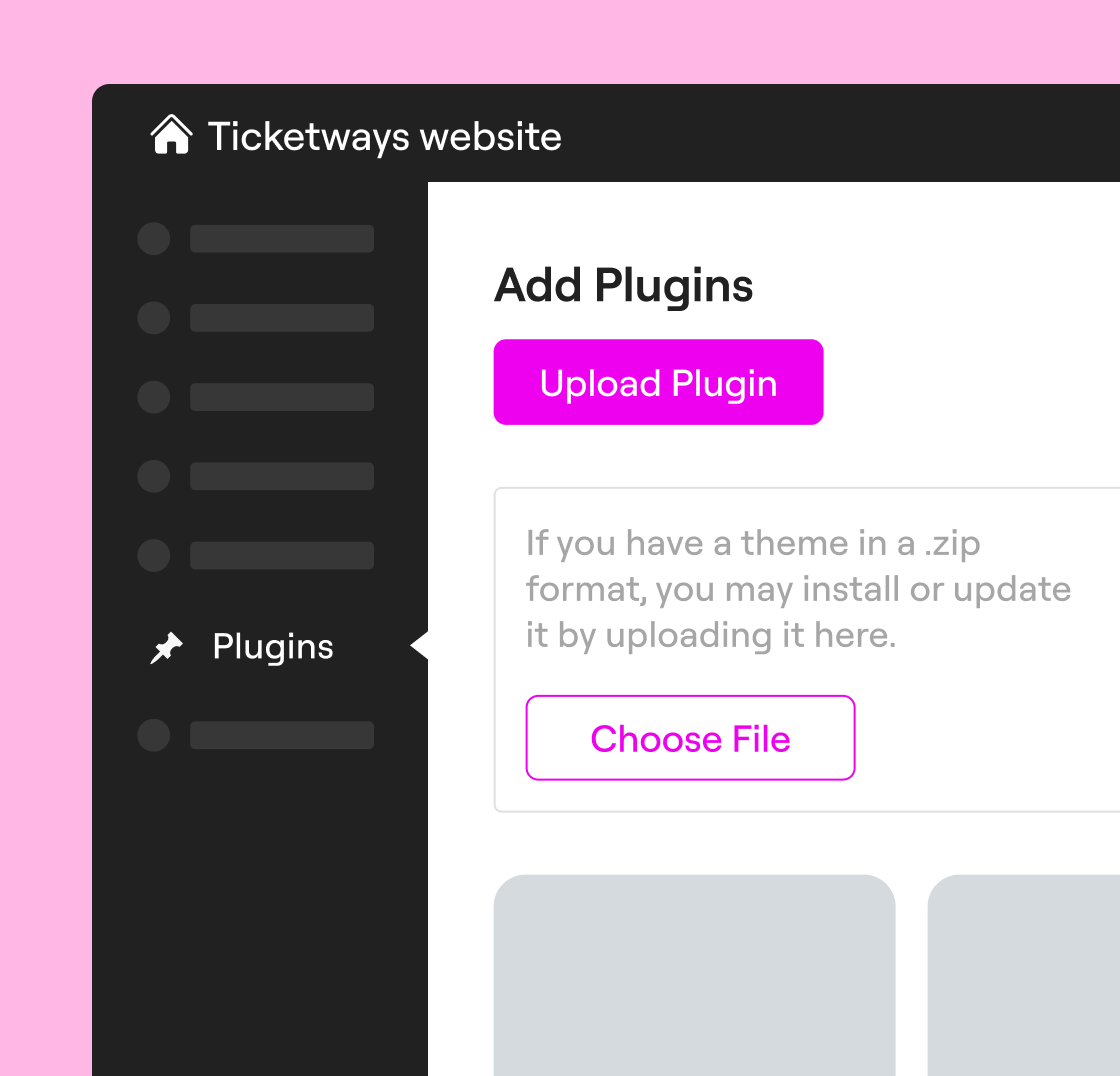
Herunterladen und installieren
Download Manage from the WordPress repository. Add the downloaded zip file on every site you want to use Manage on.
Schritt 2
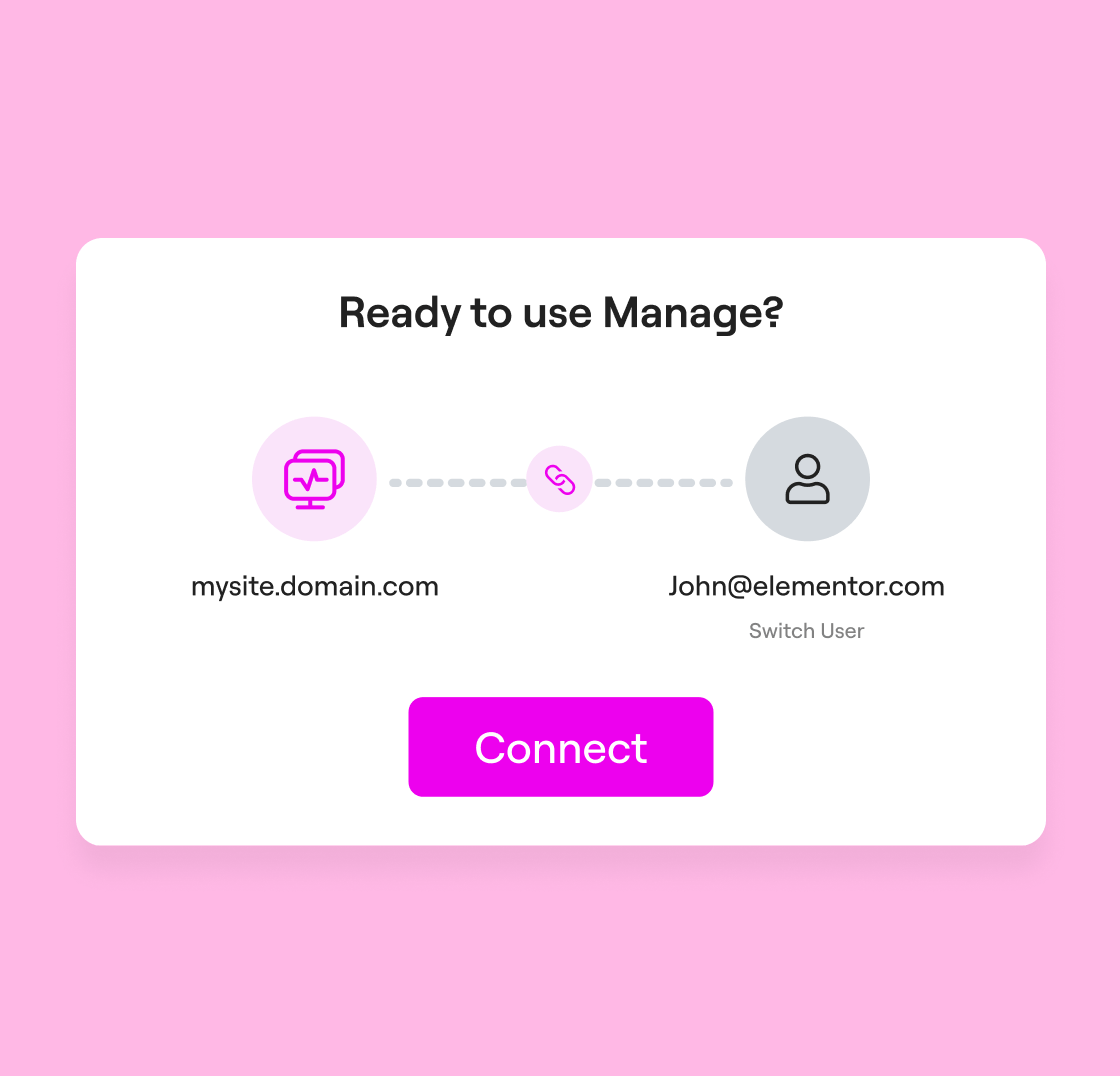
Verbinden und aktivieren
Connect each site to your Elementor account with a single click. Manage across multiple sites is only a step away.
Schritt 3
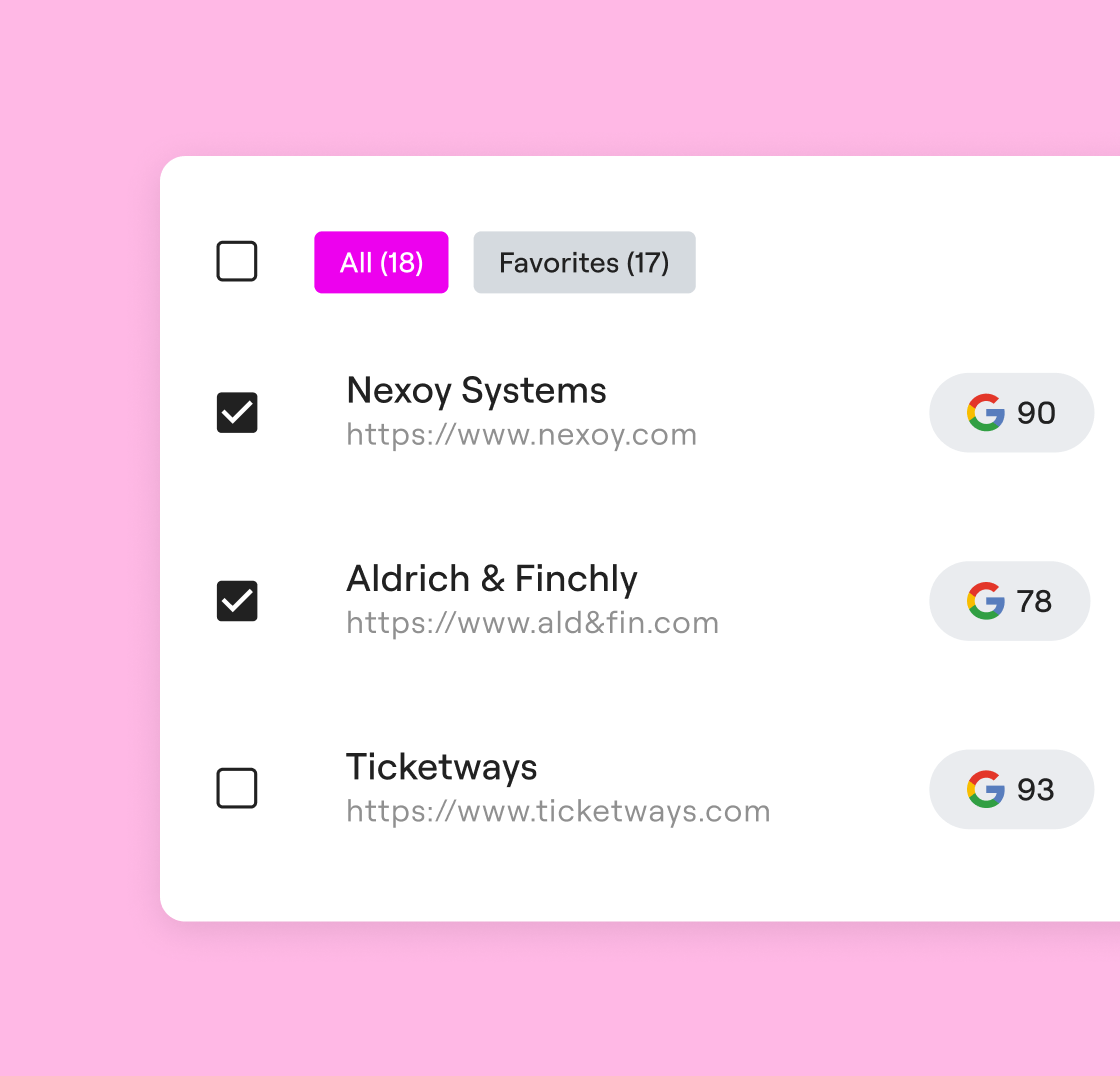
Websites verwalten
Alle deine Websites auf einen Blick. Überwache, aktualisiere und optimiere alle Websites über ein einziges Dashboard eine optimale Leistung zu gewährleisten.
Manage ist ein WordPress-Plugin mit einem zentralen Dashboard du mehrere WordPress-Seiten von einer einzigen sicheren und benutzerfreundlichen Oberfläche aus verwalten kannst. Anstatt dich manuell bei mehreren WordPress-Installationen anzumelden, kannst du über alle deine verbundenen Seiten hinweg Sammelaktualisierungen für den WordPress-Kern, Themes und Plugins durchführen. Es bietet einen umfassenden Überblick über deine Seiten, sodass du dein Portfolio von einem einzigen Dashboard aus überwachen, pflegen und optimieren kannst.
Manage wurde speziell für Agenturen und Freiberufler entwickelt, die eine strukturierte Kontrolle über die Pflege und Leistung ihrer Websites wünschen. Es hilft dir dabei, den Überblick über deinen wachsenden Kundenstamm und deine zahlreichen Websites zu behalten.
Für Betreiber einzelner Websites bietet es einen kontinuierlichen Überblick über Leistung, Erreichbarkeit und Sicherheit – alles über ein einziges, einheitliches Dashboard. Anstatt verschiedene Tools manuell zu überprüfen, kannst du Leistungstrends überwachen, Updates sicher durchführen, Datenmüll aus der Datenbank entfernen und deine Website mit minimalem Aufwand optimiert halten.
Manage zentralisiert die Abläufe für alle. Führe Massen-Updates für Plugins, Themes und WordPress durch, erkenne Sicherheitsrisiken, verfolge den Leistungsverlauf und nutze den integrierten Rollback-Schutz, um WP-Seiten sorgenfrei zu aktualisieren.
Das manuelle Wechseln zwischen WordPress-Dashboards, das nacheinander Aktualisieren von Plugins und das separate Überwachen des Website-Zustands erhöhen das Risiko, dass Probleme übersehen werden, und verschwenden wertvolle Zeit. Mit Manage kannst du mehrere Websites über ein einziges Dashboard überwachen und dank einer umfassenden Übersicht und Dashboard alles gut organisiert halten. Mit Massenaktualisierungen, Rollbacks per Mausklick und übersichtlichen Leistungsberichten kannst du deine WordPress-Websites schneller, sicherer und effizienter verwalten.
Während die kostenlose Version Einblicke und Überwachungsfunktionen bietet, eröffnet die Premium-Version (in Elementor One enthalten) die Möglichkeit, aktiv zu werden. Dazu gehören:
- Massenaktualisierungen: Aktualisiere Plugins und Themes auf mehreren Websites gleichzeitig.
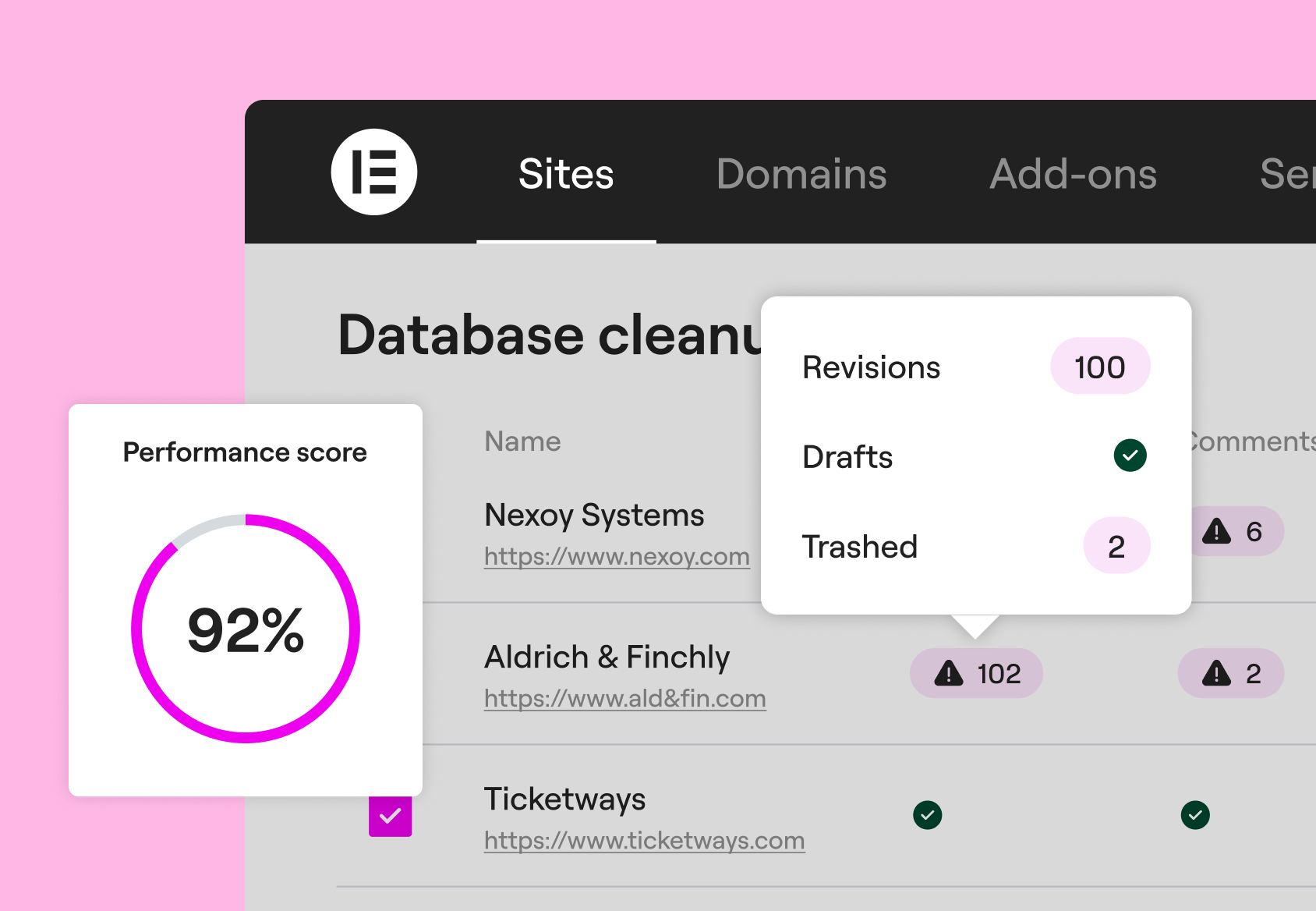
- Datenbankoptimierung: Verhindere Datenbankaufblähung und optimiere die Ladegeschwindigkeit der Website.
- Erweiterte Sicherheit: Erkennt und kennzeichnet Sicherheitsrisiken durch eine Integration mit Patchstack.
- Sichere Updates: Falls ein Rollback erforderlich ist, kannst du den WordPress-Kern, Plugins und Themes mit einem Klick zurücksetzen.
Die Kosten für diese Funktionen sind in einer monatlichen Pauschalgebühr als Teil deines Elementor One-Tarifs enthalten, wodurch du Zugriff auf unser gesamtes Angebot an Verwaltungs- und Optimierungsdiensten erhältst.
Die Premium-Manage-Funktionen sind ausschließlich über das Elementor One-Abonnement verfügbar.
Mit Elementor One erhältst du Zugriff auf erweiterte Funktionen wie Massenaktualisierungen, automatische tägliche Leistungsscans sowie Scans auf Abruf, Datenbankbereinigung und verbesserte Optimierungstools – alles integriert in die einheitliche Elementor-Benutzeroberfläche.
Die Premium-Funktionen von Manage sind nicht separat erhältlich. Sie sind in Elementor One enthalten, zusammen mit KI, Optimierung, E-Mail und weiteren professionellen Tools, sodass du ein komplettes System zur Erstellung, zum Betrieb und zum Ausbau deiner Website erhältst.
Manage ist so konzipiert, dass es sowohl mehrere WordPress-Installationen (separate Websites auf verschiedenen Domains) als auch WordPress-Multisite-Konfigurationen unterstützt, und bietet Platz für eine unbegrenzte Anzahl von Websites. Ganz gleich, ob deine Websites auf einer Subdomain, einem anderen Server oder innerhalb eines Multisite-Netzwerks laufen – du kannst sie alle über das Dashboard verbinden und darauf zugreifen. So hast du einen einheitlichen Überblick über dein gesamtes Netzwerk an Websites, unabhängig von der Art der zugrunde liegenden Installation.
Während andere Dashboard die Verwaltung von Websites ermöglichen, ist Manage darauf ausgelegt, sich nahtlos in das Elementor-Ökosystem zu integrieren. Es bietet eine intuitivere und einheitlichere Benutzererfahrung für die Verwaltung mehrerer WordPress-Seiten.
Manage offers a convenient “one-click” connection process. Furthermore, when paired with Elementor One, it bridges the gap between spotting a performance issue and taking corrective action.
Manage bietet für jede Aktualisierungsaktion ein „Sicherheitsnetz“. Vor der Aktualisierung speichert Manage automatisch die vorherige Version, sodass du bei Bedarf automatisch zu einer früheren Version zurückkehren kannst. Sollte ein Update eines WordPress-Plugins oder -Themes auf deiner Hauptseite oder einer anderen Seite zu Problemen führen, kannst du mit einem einzigen Klick über dein Dashboard zur vorherigen Version zurückkehren und so sicherstellen, dass deine Besucher niemals eine fehlerhafte Seite zu sehen bekommen.
Nein. Egal, ob du den kostenlosen oder den Premium-Tarif nutzt, kannst du mehrere Websites ohne Einschränkungen verbinden und verwalten. Du kannst dich einloggen, den Status überwachen und einen umfassenden Überblick für so viele WordPress-Domains erstellen, wie du möchtest.
Verfolge die Seitengeschwindigkeit, SEO und Barrierefreiheit mit Google Lighthouse und erhalte konkrete Bewertungen, Optimierungstipps sowie einen 30-tägigen Verlauf der Leistungstrends deiner Website.
Während die kostenlose Version automatische Scans alle 14 Tage umfasst, bietet die Premium-Version (erhältlich über Elementor One) automatische tägliche Scans sowie die Möglichkeit, manuelle Scans auf Abruf im Abstand von bis zu 4 Stunden auszulösen, um die unmittelbaren Auswirkungen deiner Optimierungen zu sehen.
Ja. Patchstack ist in Manage integriert und bietet dir einen zuverlässigen WordPress-Sicherheitspartner, der bekannte Plugin-Sicherheitslücken automatisch erkennt, bevor sie zu einer Bedrohung werden. Du erhältst Einblicke in gefährdete Plugins auf mehreren WordPress-Seiten, sodass du schnell Maßnahmen ergreifen kannst.
Auf jeden Fall. Mit „Manage“ kannst du Datenbanken über mehrere WordPress-Websites hinweg gleichzeitig optimieren. Mit Elementor One hast du Zugriff auf die Premium-Funktionen von „Manage“, mit denen du Datenbankmüll wie automatische Entwürfe und Überarbeitungen von Beiträgen, Kommentare oder temporäre Daten gezielt löschen kannst, um deine Websites schlank zu halten. Diese Funktion hilft dir, den Zustand deiner Websites mit weniger manuellem Aufwand aufrechtzuerhalten und sorgt dafür, dass WordPress-Websites reibungslos laufen – besonders für Agenturen, die viele Kundenwebsites betreuen, oder bei WordPress-Multisite-Setups.
Ja. Der kostenlose Tarif umfasst eine unbegrenzte Anzahl verbundener Websites mit Performance-Scans im Lesezugriff, Erkennung von Sicherheitsrisiken und Ein-Klick-Anmeldung auf jeder Website. Du kannst so viele WordPress-Websites verbinden, wie du möchtest; es gibt keine Begrenzung der Website-Anzahl.
Premium-Funktionen wie Massenaktualisierungen, automatische Scans und Datenbankoptimierung sind im Elementor One-Abonnement für die professionelle Website-Verwaltung enthalten.
Mit der Premium-Version von Manage ist das ganz einfach in drei Schritten erledigt:
- Herunterladen und installieren: Lade das „Manage“-Plugin aus dem WordPress-Repository herunter. Füge die heruntergeladene ZIP-Datei auf jeder Website hinzu, auf der du „Manage“ nutzen möchtest.
- Verbinden: Melde dich bei deinem Elementor-Konto an und greife mit einem einzigen Klick auf deine Websites zu.
- Verwalten: Nutze das zentrale Dashboard dein gesamtes Netzwerk aus WordPress-Websites zu überwachen, Dashboard optimieren und Dashboard verwalten.
Manage lässt sich nahtlos in das Elementor-Ökosystem integrieren. Um die Leistungswerte zu verbessern, nutze die in Elementor One enthaltenen Funktionen zur Bildoptimierung und Barrierefreiheit.