






Elementor's AI Website Builder
AI-Powered Tools
for Elementor Website Builder
Experience the power of AI. Save time, achieve more, and unlock your creative potential like never before. Once you start, you'll never look back!
Spotlight
From Idea to Wireframe in Minutes
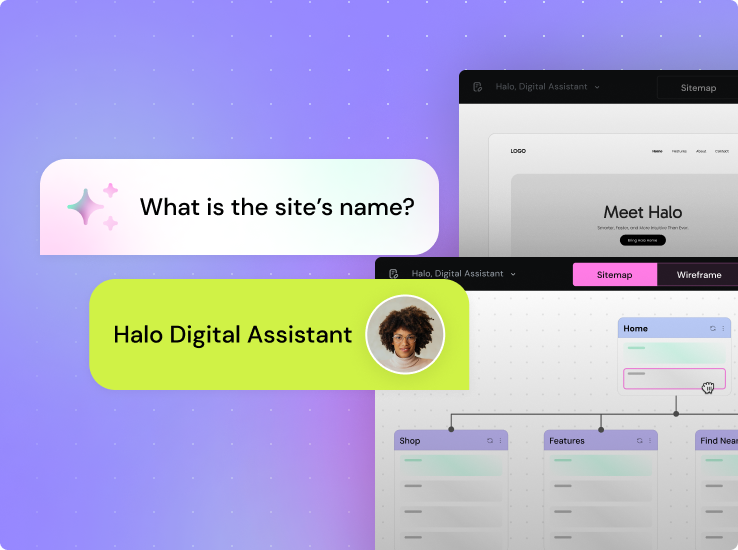
Meet AI Site Planner – Kickstart your project by generating a website plan with content-rich wireframes, giving you a near-instant first draft of your website.
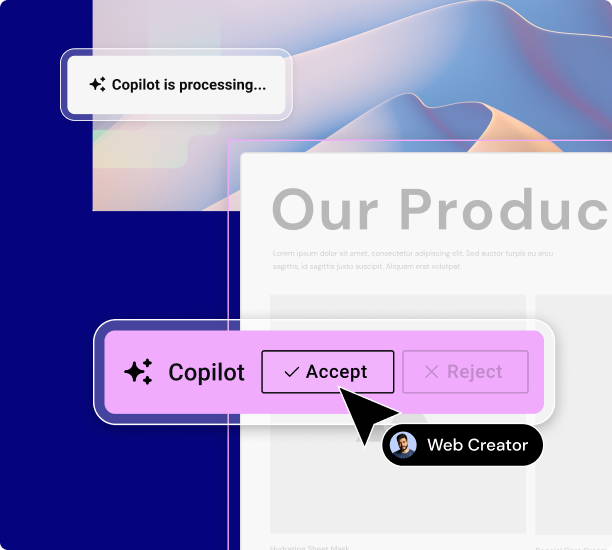
AI Copilot: Predictive Wireframe Design
Build stunning websites the smart way with AI Copilot - your AI assistant to help you design wireframe layouts with tailored content to elevate your brand’s online presence.
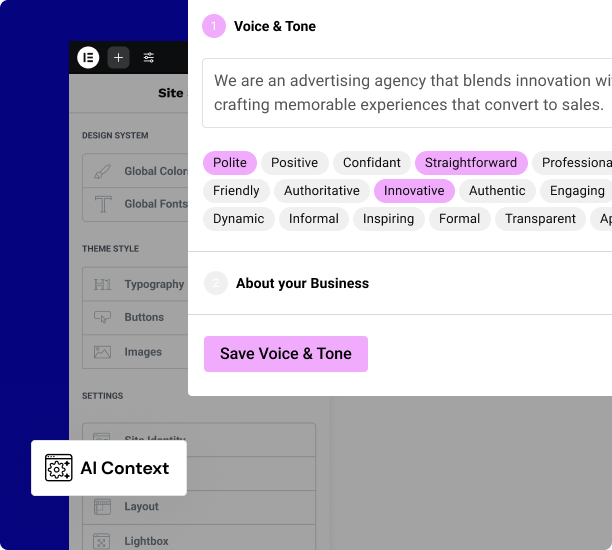
Using your examples and descriptions, AI Context learns your company's tone-of-voice and business details to ensure all your content stays on brand.
AI Features
AI-Generated

Container Layouts
Text-Based
Web-Based
Elementor-Based
Library-Based Containers
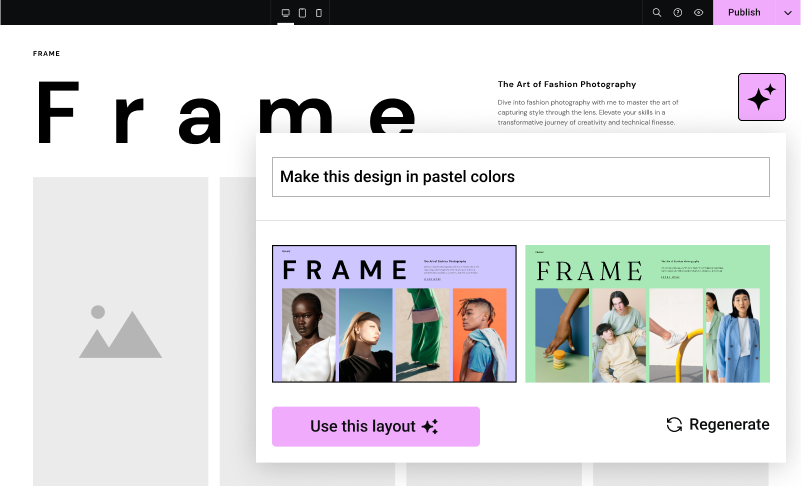
Wireframes & Design
Dream Up Any Image
Extend Images in Any Direction
Create Image Variations
Change Resolution or Resize
Harmonize product images
Replace Image Background
Brush image areas to enhance
Goodbye Writer’s Block
AI Writing Assistant
Tone of Voice Adjustments
Language Translations
Length of Text
Context Sensitive Prompts
Spelling & Grammar Correction
Code Like a Pro
Write Custom CSS
Add HTML Anywhere
Access Your Previous Prompts
Generate Custom Code
Choose Your Elementor AI Plan
- One AI subscription covers all your Elementor websites
Elementor AI
- 3 AI Notetaker sessions (one time)(included)
- Standard AI usage (included)This plan enables you to annually generate up to 24K text requests or 24K code snippets or 725 image requests, or 600 Container prompts, or any mix.
- Text (included)AI writes your text, adjusts tone, and translates to different languages. Our AI Context tool learns your writing style to create content that’s always spot on.
- Images (included)Generate images, remove or clean-up unwanted objects or artifacts, replace backgrounds, resize, extend, change resolution.
- Custom Code (included)Generate custom code, HTML or CSS to customize your website's appearance and functionality without having to write a single line yourself.
- Container Layouts (included)Generate container layouts based on: your text prompt; a variation of an existing Elementor container; or any external website you reference.
- AI Copilot (included)AI Copilot predicts and generates your next wireframe layout based on your existing site sections & structure, while also following design best practices.
- 30-Day History Storage (included)Use the history panel to access and repurpose previous prompts and responses for generating text, images and code.
One
/Mo
/Mo
- All features in , plus:
- 25,000 monthly One credits Credits can be used flexibly across AI features, image optimization, accessibility scans & fixes, emails and additional features as they're added.
- 1 site
- Create
- 86 Editor Pro widgets(included)
- Theme Builder(included)
- Dynamic Content (included)Connect your design to your WordPress content. Use custom fields and post types to display dynamic data nywhere on your site.
- Form Builder (included)Collect leads with professional forms you can integrate with your favorite marketing tools. Then manage and analyze from one central dashboard in WordPress.
- Popup Builder(included)
- Custom code & CSS(included)
- eCommerce features(included)
- AI generated code, copy, images, & layouts (included)Boost your workflow with powerful AI tools including custom code generation, layout building, image creation, and content writing.
- Optimize
- Image optimization (Valued at /yr)(included) Optimize site performance with bulk image processing for WebP & AVIF conversion.
- Accessibility fixes (Valued at /yr)(included) Enhance your site’s accessibility with scans, AI-powered fixes, and site-wide improvements, plus a customizable usability widget featuring 15+ tools, screen-reader support, language options, white-labeling, and usage analytics.
- Manage
- Priority Support (included)Access high-priority support from dedicated Elementor experts.
- 20 Cloud Templates (included)Store sections, containers, and other design elements in the cloud, making them accessible across all your connected sites for a more flexible and scalable workflow.
- Collaborative Notes(included)
- Site Mailer (Valued at /yr)(included) Send reliable, transactional emails with built-in tracking, troubleshooting tools, and advanced authentication, no SMTP plugin required. Enjoy custom domains, detailed logs, resend/testing options, and smart suppression management for smoother, more professional email performance.
- Manage (Coming soon)(included)
Elementor AI is Non-refundable, try it free on any WordPress Website. By purchasing Elementor AI, you agree to our AI Terms & Conditions
All subscriptions renew based on your billing cycle at list price.
Prices are rounded for display. Your final price at checkout may be slightly lower.
The final price will be displayed on the checkout page. All subscriptions renew based on your billing cycle at list price.
Prices are rounded for display. Your final price at checkout may be slightly lower.
All subscriptions renew based on your billing cycle at list price.
How do Elementor AI credits work?
Your plan gives you an annual amount of credits to spend on the mix of prompts you want to enter. These are the credits needed for each type of prompt you write.
- Type
- Credit Cost
- Text Prompt
- 1 Credit
- Code Prompt
- 1 Credit
- Image Prompt
- 33 Credits
- Container Prompt
- 40 Credits
The Starter Plan enables you to annually generate up to 24K text entries or 24K code snippets or 725 image requests, or 600 Container prompts, or any mix.
The Power Plan enables you to annually generate up to 50K text entries or50K code snippets or1,500 image requests, or 1250 Container prompts, or any mix.
The Visionary Plan enables you to annually generate up to 100K text entries or100K code snippets or3,000 image requests, or 2,500 Container prompts, or any mix.
AI Notetaker
Let AI summarize your meeting notes
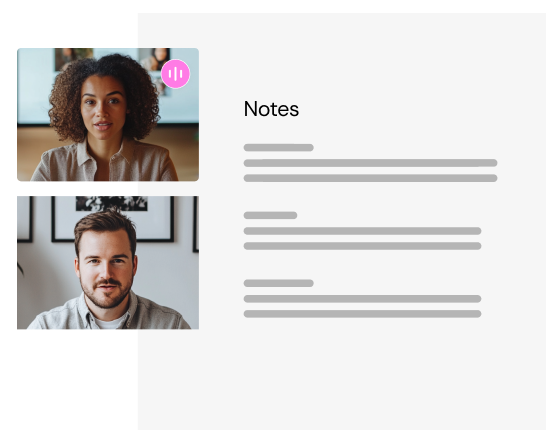
Meet with your client on Zoom or Google Meet—our AI Notetaker captures the conversation and creates a brief that can instantly transform into a full website wireframe – ready in minutes.
AI Features
Text
- AI Writing Assistant
- Length of Text
- Tone of Voice
- Context Sensitive Prompts
- Language Translations
- Spelling & Grammar Correction
Images
- Generate Original Images
- Replace Background
- Create Image Variations
- Change Resolution, Resize
- Remove Background
- Generative Fill
- Image Cleanup Tool
Code
- Generate CSS (*Requires Pro)
- Create HTML
- Write Custom Code
Containers
- Build with Prompts
- Create Variations
- Reference from the Web
- Auto-Generated Structure Titles
Copilot
AI Copilot is your personal helper for building container layouts, suggesting layouts based on your reactions, past work and industry best practices.
Widget List
Here's an example of how to use your credits in one year
- One
- One Agency
- Editor
- Unlimited use for a single site
- Unlimited use
- Image optimizations
- 2,400
- 69,000
- AI text prompts
- 1,200
- 12,000
- AI code prompts
- 1,080
- 4,980
- AI image prompts
- 120
- 2,040
- AI container prompts
- 120
- 2,400
- URLs to scan for accessbility
- 25
- 5,000
- Accessibility fixes
- 960
- 3,600
- Site Mailer emails
- 4,800
- 48,240
From Brief to Sitemap - Instantly!
Based on your input, AI will generate a strong website brief to capture all your website goals.
Guided by the brief, AI will then create key wireframe pages and sections, ready for you to customize.
How to Start Your AI Free Trial
FAQ
Elementor AI is natively integrated in Elementor. For starters, Elementor AI is available directly in the Editor, which is incredibly convenient as you don’t need to switch between tools and tabs. Additionally, Elementor programmed the AI product to provide contextual suggestions based on what it has learned about your brand using the AI context tool, as well as the context of the widget you’re using – all to bring you closer to your desired outcome. This is true for text, code, container layouts, and image generation.
On top of that, Elementor’s Code Assistant, is programmed to generate code that includes the specific selector you want to apply it to, which is not possible using external tools.
Creating the correct prompt to generate a usable image for your website is not a simple task. Elementor AI has already pre-engineered the majority of settings you would need to consider in your prompt to generate a usable image for your website, which makes it much easier for you to get the image you imagined.
Absolutely, your Elementor AI subscription extends its usability to any Elementor website you are currently developing. This subscription is designated for individual use and cannot be shared with other web creators. However, it can be employed on an unlimited number of Elementor websites. It is important to keep in mind that Elementor AI can only be utilized on WordPress websites where Elementor (Core, Pro, Hosting, or any combination thereof) is installed with the same user email linked to your AI subscription.
Make sure your website is updated to a version that includes Elementor AI – Elementor 3.13 or higher to generate text and code, or Elementor 3.14 and higher for text, code and image creation.
With our easy-to-use credit system you get an annual allotment of prompts to spend on the mix of content you wish to generate. These are the credits needed for each type of prompt you write.
1 Text prompt = 1 credit
1 Code prompt = 1 credit
1 Image prompt = 33 credits
1 Container Prompt = 40 Credits
Keep in mind when generating text, code, images or containers, you may want to use multiple prompts until you reach your desired result.
You can translate your text to any language using Elementor AI by copying your content into the Elementor AI modal, and asking it to translate it to your desired language. We’ve added the top 25 most popular languages in the Editor into a handy dropdown list to accelerate your process.
Yes, you can write prompts in any language.
May I use them freely on other channels besides the website I create?
AI generated images are royalty free, and you may use them anywhere across any channel of yours.
can I roll them over to next year’s subscription or transfer them to someone else?
You are not able to roll credits over to the next year’s subscription. Any leftover prompts at the end of the year will automatically reset.
We will notify you within the Editor when you’ve reached 80% of your plan’s consumption, and continue reflecting how much you’ve used from that point onwards.
Access to Elementor AI is on an individual user basis. Meaning, your clients will need to create their own Elementor account in order to use Elementor AI, and their usage will be unrelated to your Elementor AI credits.
by trying to add custom code (CSS / Code / HTML) on their own?
If you would like to manage the level of access certain users or clients have, you can use Elementor Pro’s Role Manager feature to assign different roles to users who have access to edit the website.
Elementor’s AI website builder doesn’t just generate generic websites; it’s integrated into a complete web creation platform. This means you get AI-assisted wireframes, copy, and visuals, plus all of Elementor’s professional design tools, widgets, and hosting flexibility.
Unlike standalone AI tools, the Elementor Editor ensures that the websites you create are fast to produce as well as fully customizable, scalable, and optimized for performance.
Have more questions? Try the Elementor Help Center or Contact Us.