No, Elementor Pro is not required for planning. You can create site briefs and wireframes without it. However, to import your plan directly to your website, we recommend Elementor Pro, as it ensures compatibility with Pro elements and simplifies the process. Without it, you may need to replace some theme parts and Pro features.
site planner by Elementor ai
Generate Professional Sitemaps
& Wireframes in Minutes
Build with confidence and deliver quality results governed by industry-wide best practices.
Site Plan in Minutes
Simply start your AI-led chat and describe your ideal website. Our AI uses industry best practices to map out your key pages.
Instant Wireframes
Get professional-grade wireframes based on proven design principles. Fine-tune sections, or regenerate layouts—all in just seconds.
Your Website in Progress
Polish your AI-generated wireframes using Elementor's powerful editing tools to create your pixel-perfect website.
Start Your Website with
AI Site Planner - It’s free
Imagine creating a website simply by describing your business. AI Site Planner is a revolutionary tool that accelerates the website-building process for professional websites.

Start
Describe your site during an AI-led chat conversation.
Visualize
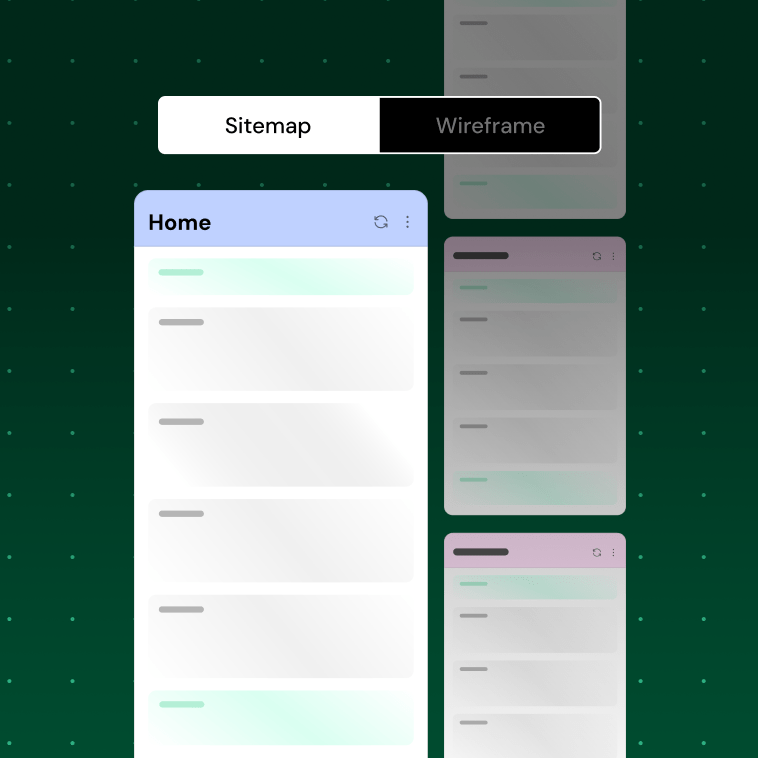
AI will generate a sitemap, brief, and wireframe, pre-filled with relevant initial copy.
Perfect It
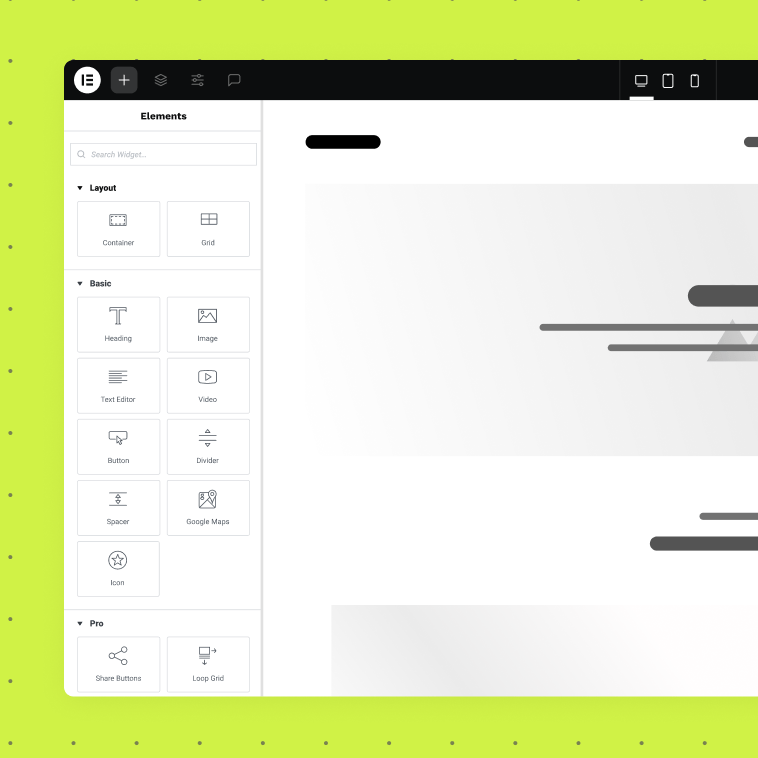
Fine-tune layouts and edit content to create a prototype that’s uniquely yours and on-brand.
Working with AI Site Planner
1
brief
- From Vision
- Brief
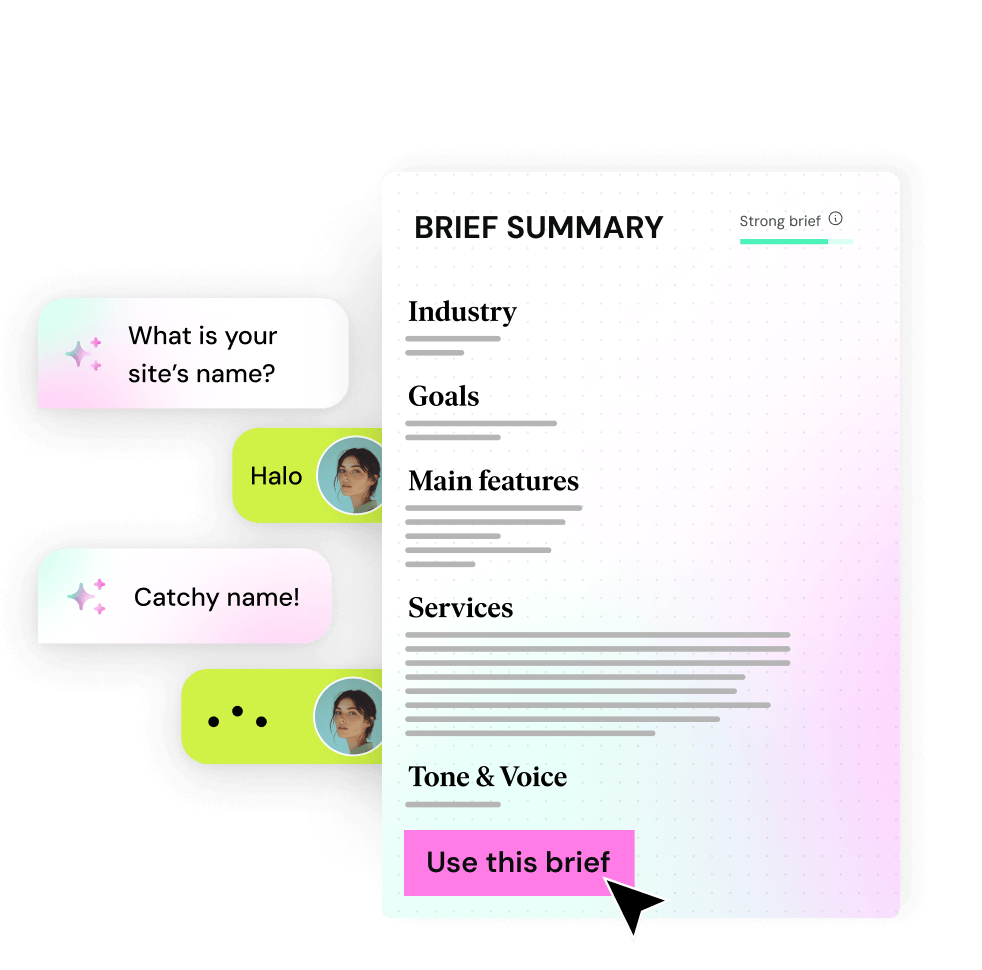
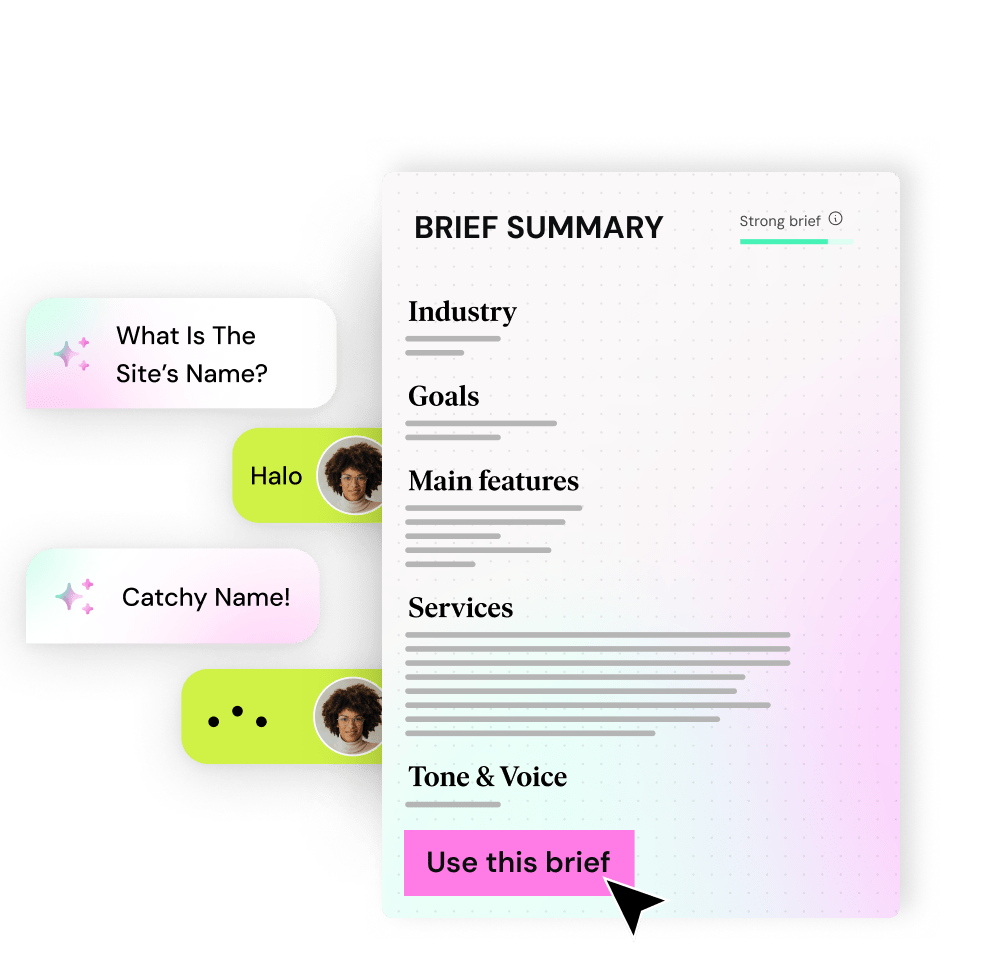
Start an AI-led conversation and get your project off the ground. Watch your ideas, descriptions, and notes transform before your eyes into a proper website brief.
2
Sitemap
- From Brief
- Sitemap
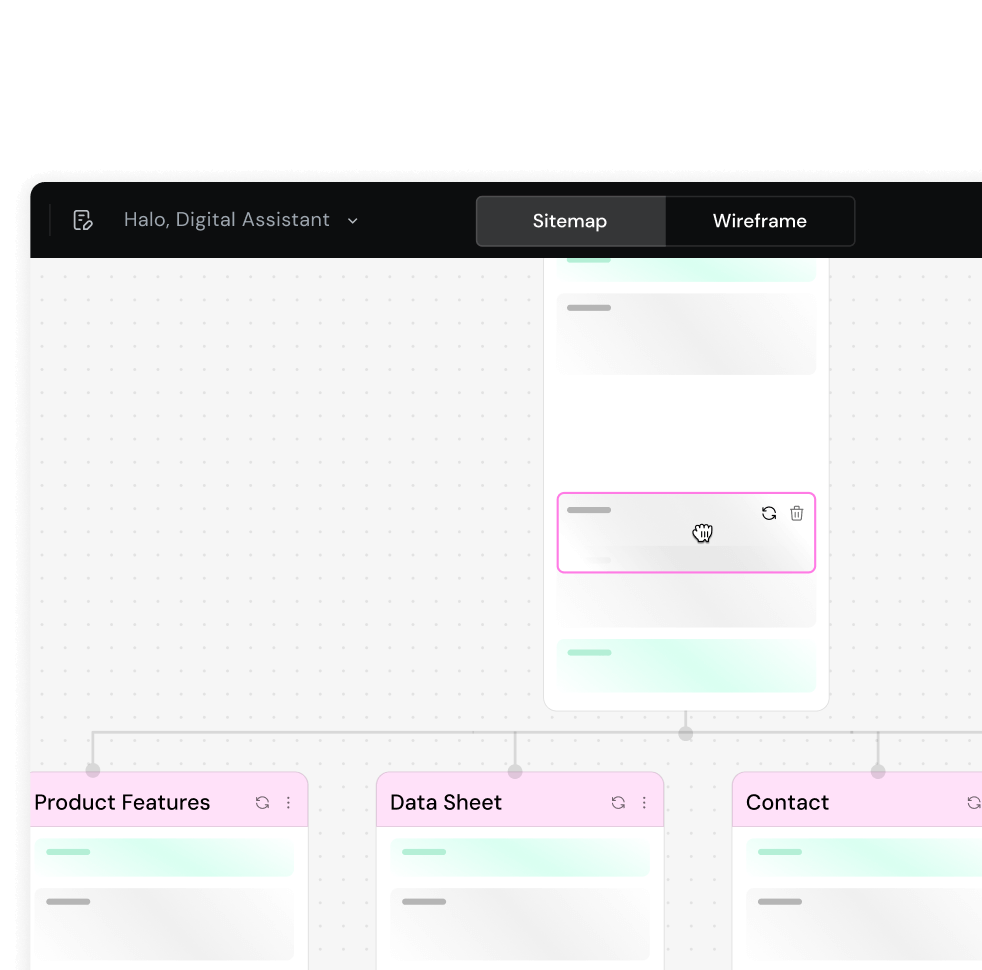
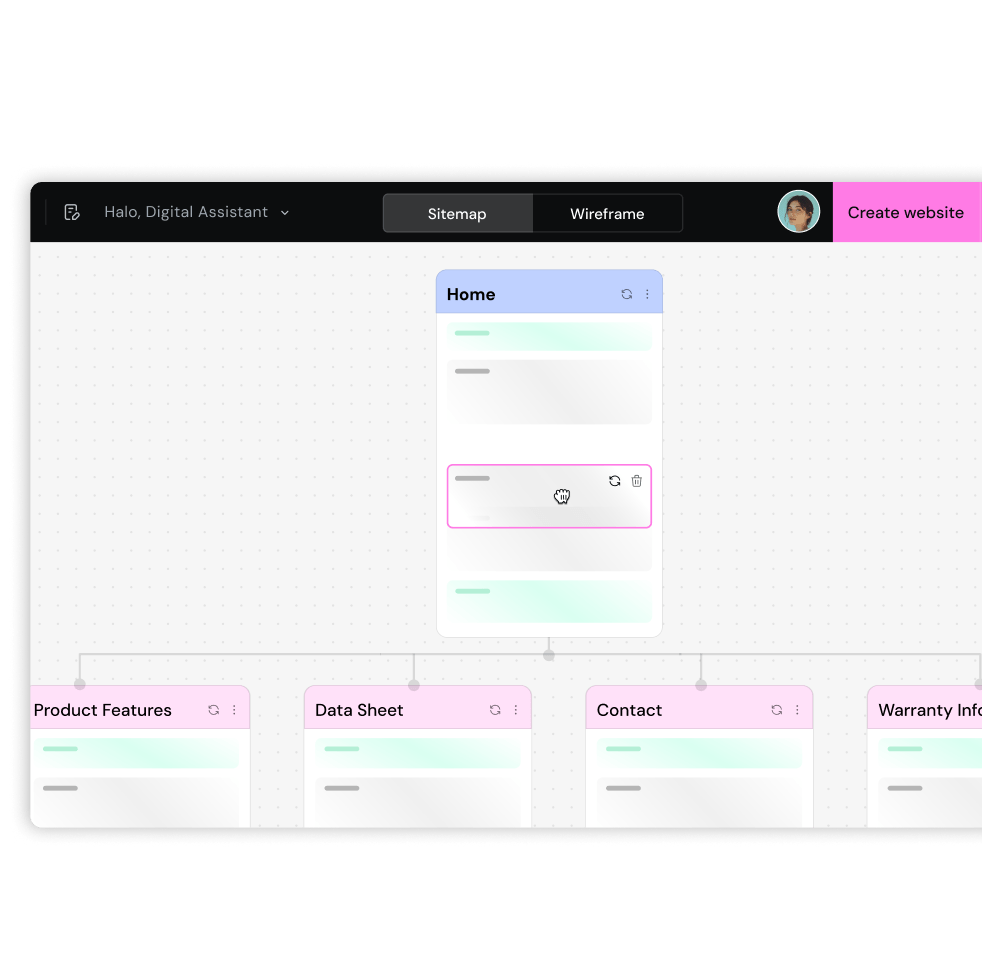
AI Site Planner instantly maps out all your key pages and creates a complete sitemap in minutes, not hours. Easily shuffle or edit pages to fit your vision.
3
Wireframe
- From Sitemap
- Wireframe
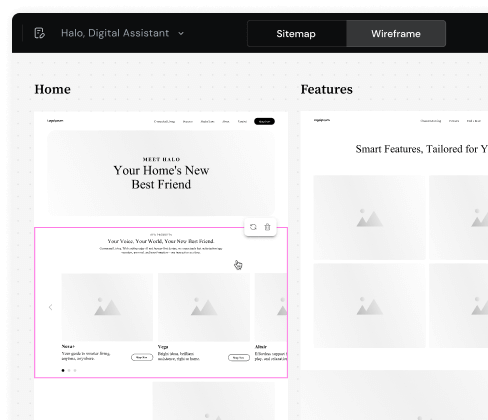
Get your first draft in minutes. Watch AI turn your sitemap into content-filled wireframes in a click. Customize with Elementor’s drag & drop Editor and make it your own.
1
brief
- From Vision
- Brief
Start an AI-led conversation and get your project off the ground. Watch your ideas, descriptions, and notes transform before your eyes into a proper website brief.
2
Sitemap
- From Brief
- Sitemap
AI Site Planner instantly maps out all your key pages and creates a complete sitemap in minutes, not hours. Easily shuffle or edit pages to fit your vision.
3
Wireframe
- From Sitemap
- Wireframe
Get your first draft in minutes. Watch AI turn your sitemap into content-filled wireframes in a click. Customize with Elementor’s drag & drop Editor and make it your own.
No credit card required.
A Powerful Website Builder
Edit your wireframes with ease using the full capabilities of Elementor’s visual website builder. Elementor gives you the power to perfect every detail for a a stunning, responsive website.
Unstoppable AI Innovation

Stop Taking Notes. Never Miss a Detail.
With our Google Meet integration, AI captures every detail, transforming conversations into a professional brief. Forget about taking notes—stay fully present in the discussion and use the notes as input for AI Site Planner to generate a polished brief.
Launch WooCommerce Stores Faster.
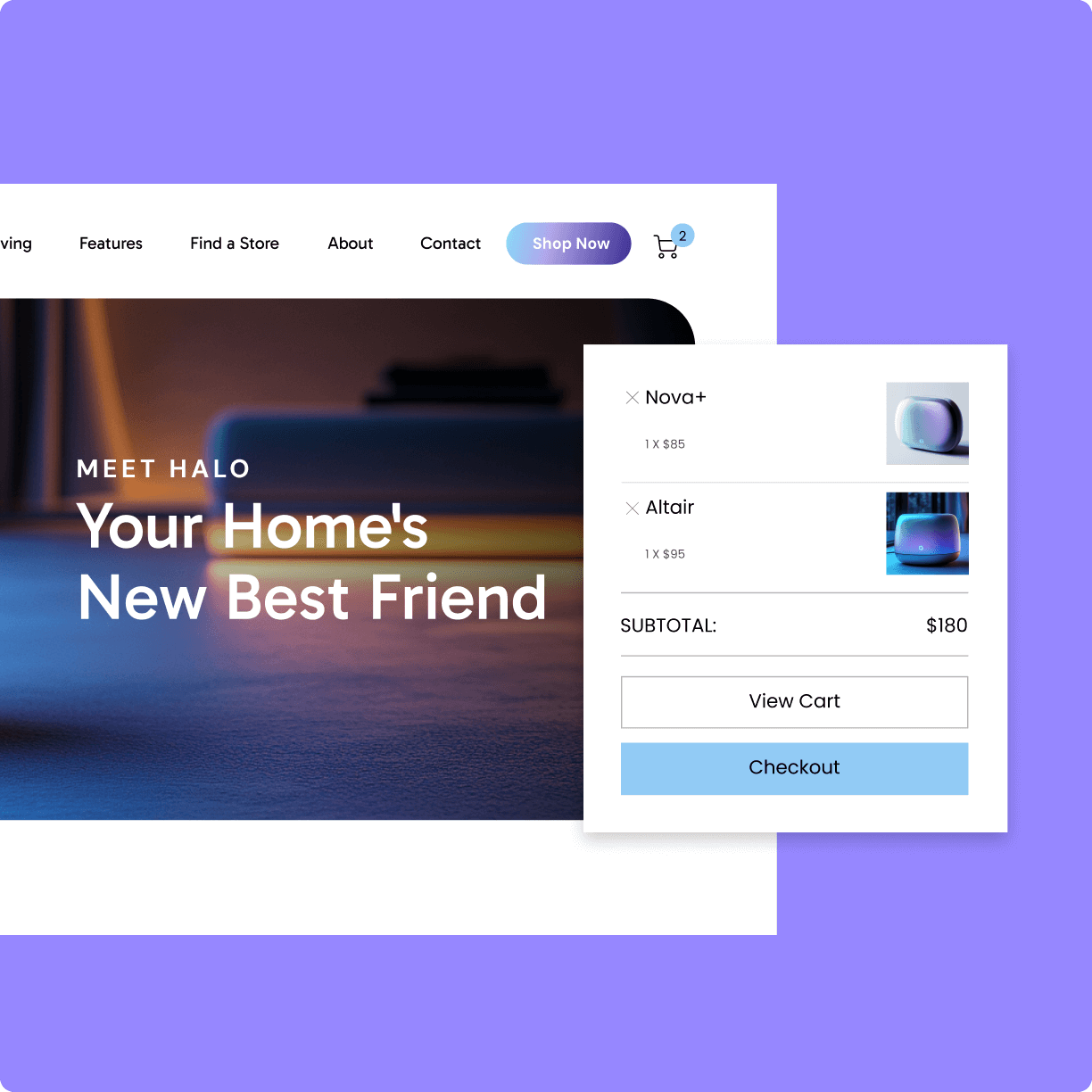
AI Site Planner simplifies WooCommerce site creation by generating ready-to-go layouts and eCommerce features like My Account, Shopping Cart and Checkout components and other essential pages. No more starting from scratch—just fine-tune the details.
Get Client Feedback
Faster Than Ever
Clear Visualization
Help clients visualize the website and prevent misunderstandings on project scope.
Efficient Workflow
Avoid unnecessary back-and-forth with the client and streamline your efforts.
Professional Outcomes
Deliver wireframes that look like you've spent days developing, not minutes.
Satisfied Clients
Fewer revisions and solid results build client trust & enhance satisfaction.
Don’t Take Our Word For it
5 Stars based on 6,899 real user reviews
This is the smoothest AI experience I've ever had. Full stop. I can see myself using on every single website from now on going forwards, without fail!

Imran Siddiq
Web Agency Director, Web Squadron
Site Planner is an incredible tool. With the wireframe, I immediately get a first idea for the design, which makes me significantly faster as a creator.

Sandra Bartel
Social Media Marketer, Quickshift Agency
Brilliant way to prototype out sites for initial client approval of wireframes before heavy design changes.

Marc Bakker
CEO, Concept43
This is the best AI tool I have seen to date. This will save hundreds of hours for everyone who is building Elementor websites professionally. Elementor has really outdone themselves!

Matt
WPress Doctor
FAQ
Do I need Elementor Pro to use Site Planner?
Is the layout generated by Site Planner optimized for performance?
Yes, Site Planner uses a clean, container-based structure and native Elementor widgets to ensure optimal performance—without third-party bloat. You’ll also have full control to further fine-tune the layout, structure, and content to meet your specific needs.
What is Elementor’s Site Planner?
Elementor’s Site Planner is an AI-powered tool that helps web creators streamline their website planning. It is part of Elementor’s AI Website Builder suite of tools, automatically generating a detailed website brief, site plan, and wireframe based on your project’s needs, saving you time and effort. The wireframe is pre-populated with AI-generated content. The layout and design can be fully customized using Elementor’s drag-and-drop editor.
Is Site Planner free?
Yes, Elementor’s AI-powered Site Planner is free, allowing you to quickly generate site briefs and wireframes. You can fully explore the tool and its capabilities without any initial cost.
Can I manage multiple projects or client sites with Site Planner?
Absolutely. Site Planner makes it easy to manage several projects with a dedicated dropdown for switching between site plans. You can revisit and edit previous briefs anytime—making it ideal for freelancers and agencies working with multiple clients.
Can I use Site Planner to create one new page that matches my existing site?
This feature isn’t available just yet, but it’s in the works and will be coming soon. Today, Site Planner is best suited for building full website structures from the ground up.
What other AI tools are available from Elementor?
Elementor’s AI Website Builder offers a full suite of tools to enhance every stage of your workflow:
- AI Site Planner: Streamlines the initial planning phase, helping you align with clients and create a solid foundation for your website.
- AI Text Tools: Craft high-quality copy effortlessly with text generation, editing, and instant translation features. These tools also simplify shortening, expanding, or refining content to fit your design perfectly.
- Image Features: Generate images, create variations, remove backgrounds, and clean up visuals with precision.
- Custom Code Suggestions: Use free text input to generate custom HTML, custom Code and CSS directly in the editor, giving you complete control over your site’s design.
- Layout Tools: Quickly build and refine site structures with AI-powered layout tools. Or, leverage AI Copilot for predictive wireframe layout recommendations to jumpstart your projects.
Each tool is purpose-built to save you time, reduce complexity, and keep your creativity flowing—no matter where you are in the web creation process. Learn more about Elementor’s AI here.
Who can use the AI Site Planner?
The AI Site Planner is designed for web creators of all skill levels. Professionals can use it to streamline their workflow and deliver high-quality websites faster, while beginners benefit from a structured first draft that simplifies the process. You are encouraged to make sure you’ve downloaded and installed WordPress and Elementor’s Page Builder Plugin, Free version or Pro version, as final customizations to your site take place within Elementor’s intuitive editor.
Can I customize the layout and design after generating the wireframe?
Yes, Site Planner gives you robust control over your wireframe. You can regenerate specific sections, rearrange or remove blocks, apply your brand’s fonts, colors, and logos, and even share a read-only version with clients for feedback. For more advanced customization, you can bring the wireframe into the Elementor editor to continue refining every detail.
Does the AI support languages other than English, and will it generate output in those languages?
Yes! Our AI fully supports multilingual input and output, allowing you to interact and generate content in the language of your choice. This includes both left-to-right and right-to-left languages, such as Arabic and Hebrew — making it easy to create websites for a truly global audience.
What is the AI Notetaker, and does it understand different languages?
Take your meetings to the next level with our AI Notetaker! When starting a project, you can choose to begin with an AI chat or connect to a live meeting by entering a Google Meet or Zoom link (Zoom support coming soon). The AI Notetaker will join, transcribe, and summarize your session — transforming conversations into a polished, professional brief.
The AI Notetaker currently supports the following languages in Google Meet:
- English
- Spanish
- French
- German
- Italian
- Portuguese
- Dutch
- Hindi
- Japanese
- Chinese
- Finnish
- Korean
- Polish
- Russian
- Turkish
- Ukrainian
- Vietnamese
When I’m ready to launch, can I use my own domain with the AI Site Planner?
Absolutely! You can connect your own domain when you’re ready to launch your website. Don’t yet have a hosting provider? You can choose an Elementor Hosting 14-day free trial to help you get started quickly and easily. This option includes Elementor Pro as well as provides seamless integration along with reliable performance, robust security, and the convenience of managing everything in one place.
Can multiple team members collaborate on the same Site Planner project?
While real-time collaboration isn’t available yet, teams can still work together using shared account access or by exporting and sharing read-only links. It’s a simple way to keep clients or teammates aligned during the planning phase.
Have more questions? Try the Elementor Help Center or Contact Us.
Try Elementor’s
Site Planner for Free
Craft your ideal site. No credit card required.