Table of Contents
Key Takeaways
- Platform Architecture Matters: The primary decision is between closed SaaS platforms (convenient but limiting) and open-source platforms like WordPress powered by solutions like Elementor (maximum freedom and scalability).
- Elementor Bridges the Gap: The Elementor platform offers the creative freedom and extensibility of open-source WordPress combined with the unified support, integrated tools (like Elementor Hosting and Elementor AI), and high performance of a managed SaaS solution.
- Creative Control is Essential: For professional or unique websites, look for a platform with a dedicated Theme Builder, allowing you to visually design the entire site—headers, footers, archives—not just the content area.
- The Power of AI: Modern builders use AI not just for generating content, but for strategic planning (sitemaps, wireframes) and workflow automation (Agentic AI) to accelerate project timelines dramatically.
- Total Cost of Ownership (TCO): Calculate the true cost, including hosting, premium features, security, and separate marketing tools. Integrated platforms often provide superior value by bundling these necessities.
Defining the Modern Website Builder Landscape
The website builders market stood at USD $3.06 billion in 2025 and is forecast to climb significantly as the digital presence becomes non-negotiable for businesses globally. The competition is intense, but the landscape breaks down into two distinct architectural categories. Understanding these two approaches is the key to making an informed decision.
The Open-Source Powerhouse Model: Freedom Meets Control
This category is defined by the open-source WordPress content management system (CMS), which is the undisputed leader in web creation, powering over 43% of all websites on the internet. WordPress itself is free, but requires self-hosting and layering on tools for visual design, functionality, and performance.
The power of this model lies in its GPLv3 license, meaning you own all your data and can extend the functionality infinitely using tens of thousands of plugins and themes. The trade-off has historically been a fragmented workflow, forcing users to piece together separate hosting, security, and building tools from different vendors, which can lead to compatibility conflicts.
This is where a product like the Elementor Website Builder Platform comes in. It sits atop WordPress, transforming the fragmented experience into a unified, high-performance visual environment.
- Total Data Ownership: You control your website files and database completely. You can move your site at any time.
- Limitless Extensibility: If a feature does not exist natively, you can install one of the thousands of available third-party WordPress plugins to achieve your goal.
- Creative Authority: Designers gain granular, pixel-perfect control over every element, layout, and interaction.
The All-in-One SaaS Model: Simplicity Meets Constraint
Closed Software-as-a-Service platforms offer a streamlined, all-inclusive experience where the builder, hosting, security, and updates are managed by the vendor for a single subscription fee. Wix, Squarespace, and Shopify are prime examples of this architecture.
These platforms are often excellent starting points for beginners or projects with very simple, static requirements because they eliminate technical complexity. However, this simplicity comes at the cost of control, leading to the concept of the “walled garden.”
- Vendor Lock-in: Migrating your website content, design, and functionality away from the platform is often complex or impossible due to proprietary code.
- Design Limitations: You are confined to the templates and features the platform decides to offer. If you need a unique layout or a specific integration not on their list, you cannot simply add it.
- Fixed Ecosystem: While some have app marketplaces, their extent pales in comparison to the massive, open-source ecosystem of WordPress.
The Core Pillars of a Superior Web Creation Platform
To determine the best platform for your needs, you must evaluate each contender against three foundational pillars. These factors dictate your website’s potential for growth, performance, and professional appeal.
Creative Freedom and Pixel-Perfect Design
A superior website builder must allow you to execute your vision precisely without fighting the underlying code or the theme’s limitations. This is particularly crucial for designers, freelancers, and agencies who build client sites that must look entirely unique.
- Visual, Live Editing: The interface should provide true What You See Is What You Get (WYSIWYG) editing. You should be able to click on an element on the live page and edit it instantly, whether it’s text, an image, or a layout setting. Elementor’s front-end editor is built around this principle.
- Theme Builder Capabilities: A basic page builder only lets you customize the content area of a page. A professional platform, like Elementor Pro, offers a comprehensive Theme Builder. This tool allows you to visually design the site’s entire architecture, including the global header, footer, archive pages, single post templates, and the WooCommerce shop layout.
- Responsive Design Control: With mobile traffic dominating, you need granular control over how your site looks on every screen size. The builder must allow you to customize settings for desktop, tablet, and mobile breakpoints independently, ensuring flawless responsiveness.
The Power of an Integrated Ecosystem
Building a website involves more than just design. It encompasses hosting, security, performance optimization, lead generation, and maintenance. A truly great platform integrates these necessities rather than forcing you to bolt on disconnected point solutions.
- Unified Support: The fragmented nature of traditional WordPress means juggling support tickets between a host, a theme developer, and a page builder developer. An integrated platform eliminates this “blame game” by providing unified support from a single, expert team for all issues related to the builder, the theme, and the hosting infrastructure itself. This is a critical factor for business owners and agencies.
- Integrated Utility Tools: Essential website functions should be included natively or as tightly integrated solutions. These include image optimization, web accessibility tools, and reliable email deliverability. Relying on external, disconnected tools adds cost, complexity, and potential points of failure.
- Seamless Growth Tools: Does the platform include native marketing solutions? Look for integrated tools for popups, forms, and email marketing. Send by Elementor, for example, is a native marketing engine that simplifies lead capture and email automation with one-click integration, avoiding the clunky setup of third-party platforms.
Performance and Future-Proof Scalability
Your website needs to load quickly and must be able to handle growth—whether that is a sudden traffic spike or the expansion into a full e-commerce operation. Speed and scalability directly impact your user experience and SEO rankings.
- Optimized Foundation: Performance starts with hosting. Generic shared hosting often holds back your site. The best solutions offer hosting engineered specifically for the builder. For instance, Elementor Hosting is built on the premium Google Cloud Platform and integrated with the Cloudflare Enterprise CDN, guaranteeing enterprise-grade speed and reliability optimized for Elementor sites.
- E-commerce Depth: If you plan to sell anything, the platform must offer deep e-commerce integration. Closed platforms like Shopify excel here but offer limited design flexibility. Open-source solutions, like Elementor Pro’s WooCommerce Builder, give you the power of the world’s leading e-commerce plugin coupled with pixel-perfect visual design control.
- Technical Metrics: You need a platform that helps you achieve excellent Core Web Vitals scores. This means automatically handling image compression, caching, and serving assets from a fast global network. This focus on performance is non-negotiable for modern SEO success.
Elementor: The Best of Both Worlds
Elementor has strategically evolved from the world’s most popular WordPress page builder into a complete Website Builder Platform that successfully occupies the gap between restrictive SaaS systems and fragmented open-source setups. It gives you the creative power of WordPress combined with the streamlined, managed experience of an all-in-one solution.
This unique positioning addresses the historic pain points of web creators: you get total creative freedom and data ownership without the constant headaches of maintenance, conflict, and disjointed support.
Pillar 1: Unrivaled Creative Control with Theme Builder
The Elementor Website Builder is your creative engine, offering a live, front-end visual editing experience that is second to none. The free version provides robust core functionality, including over 40 essential widgets, full responsive controls, and a vast template library to get you started on your website journey.
For professionals, Elementor Pro transforms this editor into a full-fledged design system.
- Theme Builder: This feature is paramount for professionals. You can visually create every non-content part of your WordPress site. Design a custom header that looks perfect on mobile, create dynamic single-post templates for your blog, and build custom 404 pages—all within the visual editor. You do not need to write a single line of PHP or HTML.
- Dynamic Content: Elementor Pro connects your design directly to your data. You can design one page template and populate it with content dynamically from fields like post titles, author names, or custom fields, making it essential for building large, scalable websites.
- WooCommerce Builder: For e-commerce, Elementor Pro allows you to design every part of your online store, from the product page layout and the checkout process to the shopping cart, providing a unique brand experience that drives conversion. You can explore the possibilities of building a custom store with the WooCommerce Builder.
Pillar 2: The Optimized Foundation: Elementor Hosting
Elementor’s commitment to providing a unified experience is anchored by its managed hosting solution. When you use Elementor Hosting, you are not buying generic server space; you are investing in a cloud infrastructure specifically engineered, optimized, and supported by the same experts who built the Elementor editor.
- Peak Performance: The hosting is built on the premium Google Cloud Platform and utilizes the Cloudflare Enterprise CDN. This combination ensures ultra-low global latency, faster hardware, and optimized configurations that directly improve your site’s loading speed and its Core Web Vitals scores.
- Unified Support Advantage: This is a crucial differentiator. By choosing the integrated solution, the blame game is eliminated. If your site has an issue, whether it’s the builder, the theme, or the server, you contact one expert team for world-class support.
- Simplified Management: The platform provides ironclad security, including automatic DDoS and Web Application Firewall (WAF) protection, and automated daily backups, all managed through a single, intuitive dashboard. This delivers the convenience and peace of mind typically associated with closed SaaS platforms while retaining the freedom of WordPress.
You can learn more about this integrated solution at Elementor Hosting.
Pillar 3: The AI-Powered Workflow Revolution
Elementor has leveraged Artificial Intelligence (AI) not just as a feature, but as a holistic workflow accelerator that touches every stage of the web creation process, moving from initial concept to final content and code.
Strategic Planning with Elementor AI Site Planner
The journey of building a great website starts with a solid plan. The Elementor AI Site Planner is a revolutionary, free strategic tool that transforms a simple business idea into a full website blueprint in minutes.
- Instant Blueprints: Through a guided, AI-led chat, the tool instantly generates a professional website brief, a logical sitemap, and even an interactive, stylized wireframe.
- Accelerated Client Approval: For freelancers and agencies, this tool dramatically speeds up the discovery and client-approval phase. Providing a clear, professional visual blueprint right away prevents scope creep and costly rework down the line.
- Never Start from Scratch: It democratizes strategy, giving beginners structured guidance and pre-populating the wireframe with relevant, AI-generated placeholder content, ensuring you always have a smart starting point.
Integrated Creative Co-Pilot with Elementor AI
Once the blueprint is set, Elementor AI lives directly inside the visual editor, acting as a creative co-pilot for content, images, and code. This seamless integration is its key advantage over standalone AI tools that require context switching.
- Content Generation and Refinement: Overcome writer’s block instantly by generating, refining, simplifying, or changing the tone of any text directly on the page, tailored to the specific text block you are using.
- Unique Image Creation: Eliminate the tedious search for stock photos. You can generate unique, high-quality images directly from text prompts, then edit, extend, or create variations without ever leaving the Elementor editor.
- AI Code Assistant: For non-developers, the AI code assistant is a game-changer. It can generate custom CSS for unique styling or HTML snippets for specific functions, making advanced customization accessible without needing deep coding knowledge. You can find more details on these features at Elementor AI.
Agentic AI for Automation: Angie
Angie represents the next evolution, moving from simple assistance to autonomous action. It is positioned as an Agentic AI assistant that can perform multi-step tasks across your WordPress site on command.
- From Suggestion to Action: Unlike generative AI, Angie doesn’t just suggest or create content; it executes. It understands a high-level goal, breaks it down into necessary steps, and performs real actions like creating a new landing page, updating inventory, or publishing content.
- Deep Contextual Awareness: Powered by Elementor’s technology, Angie has deep, site-level awareness of your Elementor tools, content structure, and even other plugins like WooCommerce. This context allows it to perform tasks intelligently and accurately. As an expert in web creation, Itamar Haim emphasizes, “Automation is only valuable when it’s accurate. Agentic AI that understands the WordPress and builder context dramatically reduces human error and speeds up professional workflows.”
Pillar 4: Dedicated Utility and Growth Solutions
Elementor’s platform includes specialized tools designed to solve the critical, often frustrating, challenges of running a high-performing WordPress website, demonstrating a holistic approach to web creation.
Accelerating Visual Performance with Image Optimizer
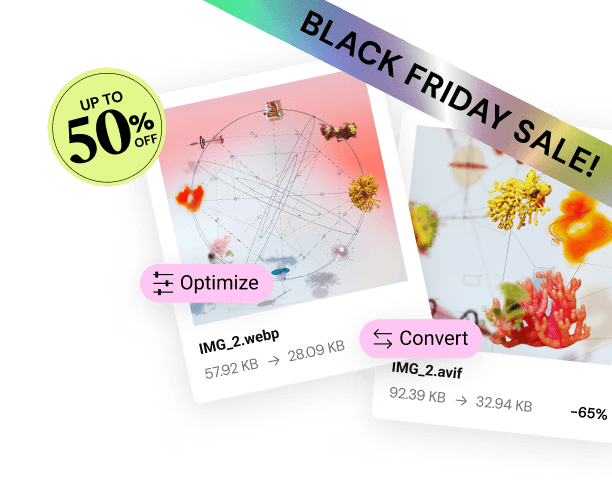
Large, unoptimized images are the number one cause of slow websites. The Image Optimizer by Elementor is an essential plugin that automatically addresses this performance bottleneck.
- Automatic Optimization: The plugin automatically compresses, resizes, and converts images to next-gen formats like WebP and AVIF immediately upon upload.
- Improved SEO: The result is faster loading times, improved Core Web Vitals, and better search engine rankings—a direct connection between a utility tool and your business outcomes.
Ensuring Critical Communication with Site Mailer
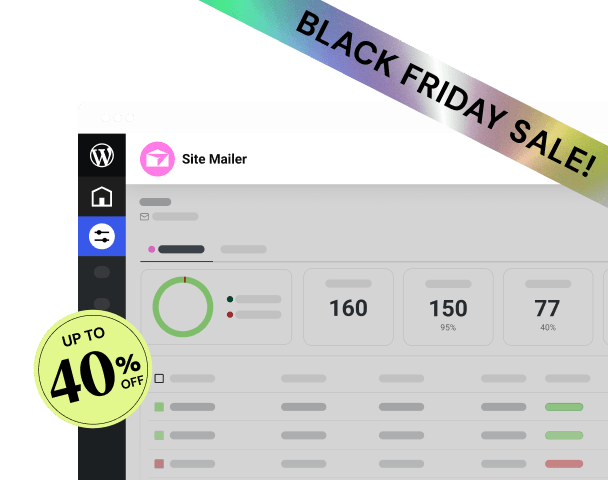
A common, frustrating challenge for WordPress site owners is unreliable transactional email delivery. Form submissions, password resets, and e-commerce receipts often end up in spam folders or fail to deliver altogether because of WordPress’s default sending function.
- Reliable Delivery: Site Mailer by Elementor is a streamlined, zero-configuration solution that guarantees reliable delivery of all WordPress emails, eliminating the need for complex, technical Simple Mail Transfer Protocol (SMTP) plugins.
- Essential Monitoring: It includes crucial analytics and troubleshooting features, such as a 30-day email log and the ability to resend failed emails, providing reliability that the default WordPress setup lacks.
Building an Inclusive Web with Ally by Elementor
Web accessibility is a growing legal and ethical requirement, but achieving compliance can be complex and costly. Ally by Elementor simplifies this process.
- Guided Remediation: The Ally Assistant scans for common accessibility violations based on WCAG 2.1 AA standards and provides step-by-step guidance or AI-powered suggestions to fix them, even if you have no prior accessibility expertise.
- Enhanced Usability: The customizable Usability Widget allows visitors to personalize their browsing experience by adjusting contrast, line height, and fonts, making the site more usable for everyone. This integrated solution helps businesses meet legal requirements and demonstrate a commitment to inclusivity. Learn more about its features here: Ally by Elementor.
Integrated Marketing Automation with Send by Elementor
The final component of the Elementor platform is the growth engine. Businesses often rely on expensive, complex, and disconnected third-party tools for email marketing. Send by Elementor provides a native marketing and automation engine.
- One-Click Integration: This is a native solution, ensuring a smooth and reliable experience without the complexity of connecting third-party platforms.
- Simplicity and Speed: It offers pre-built, high-converting automation workflows and designer-made email templates, enabling users to launch profitable lead capture and marketing campaigns quickly.
- Fair Pricing: Its credit-based model is a competitive advantage because it does not penalize users for successfully growing their audience by locking features behind higher contact tiers. You can read more about this integrated solution at Send by Elementor.
A Head-to-Head Architectural Comparison (Open-Source Platform vs. SaaS)
When evaluating the market, the choice comes down to a fundamental architectural trade-off: Do you prioritize the absolute control and extensibility of an open-source platform like Elementor on WordPress, or the limited simplicity of a closed SaaS system?
Comparing Design Flexibility and Extensibility
| Feature | Elementor (Open-Source Platform) | Wix (Closed SaaS) | Squarespace (Closed SaaS) |
| Creative Freedom | Unrestricted. Pixel-perfect control over every element. | Restricted. Drag-and-drop within defined template boundaries. | Restricted. Template-focused design; highly restrictive layout system. |
| Theme Building | Yes, with Elementor Pro. Design the entire site visually (headers, footers, archives). | No, limited control outside of core content areas. | No, restricted to theme’s structural elements. |
| Extensibility/Apps | Limitless. Access to the massive WordPress plugin ecosystem (tens of thousands). | Limited. Relies on a smaller, proprietary App Market. | Very Limited. Primarily native features; few third-party integrations. |
| Data Ownership | Total. You own all site files and can migrate them freely. | Proprietary. Content export is possible, but design/code is locked in. | Proprietary. Difficult to migrate code/design to an external host. |
The Factual Conclusion: Closed systems simplify the start-up process, but they will inevitably impose limitations as your business or project grows in complexity. Elementor, built on open-source WordPress, provides the necessary unlimited freedom and data ownership required for long-term scale and unique branding that closed systems cannot match.
Comparing Hosting and Unified Support
Reliability and speed are foundational. A fast website is a key usability factor, and slow performance often leads to users bouncing away.
- Elementor Hosting: This is the high-performance path. It provides managed WordPress hosting built on Google Cloud Platform and Cloudflare Enterprise CDN, specifically optimized for Elementor. The key advantage is unified support. The single, expert team manages the builder and the hosting, eliminating complexity and speeding up troubleshooting significantly.
- SaaS Platforms (Wix, Squarespace): They provide fully hosted, managed services. This simplifies things immensely, as you never worry about security patches or updates. However, if a problem arises, support is limited to their proprietary system. If you want to integrate an external marketing tool, the connection may be clunky, and the platform support team can only assist with their specific environment.
- Fragmented WordPress: The traditional approach requires you to purchase separate hosting from providers like SiteGround or Bluehost. While often affordable initially, this setup requires you to manage updates, security, and performance optimization yourself, and support issues often result in the host blaming the plugin and vice versa.
Elementor with Elementor Hosting provides the high performance, managed security, and simplified management of a SaaS platform while preserving the flexibility of open-source WordPress.
Comparing E-commerce Capabilities
Building a successful online store requires both powerful back-end functionality and a beautiful, trustworthy front-end experience.
- Shopify: The leading e-commerce focused SaaS platform. It is built purely for selling and excels at inventory management, payments, and shipping. However, its front-end design flexibility is significantly restricted to its template system, limiting unique branding.
- WooCommerce + Elementor Pro: This combination provides the best of both worlds. WooCommerce is the world’s most popular e-commerce plugin for WordPress, offering robust, scalable back-end functionality. Elementor Pro’s WooCommerce Builder allows you to visually design every part of the store—from the product pages and cart to the checkout flow—without touching code. This gives you the most powerful e-commerce engine with the most design flexibility available. You can even combine this with Elementor E-commerce Hosting for an optimized solution.
- Wix/Squarespace E-commerce: These are suitable for simple stores, selling a few products, or for beginners. They offer basic e-commerce functionality, but lack the deep, scalable features, advanced shipping calculation, and extensibility required for serious growth or high-volume businesses.
Mapping the Right Builder to Your Project
The “best” website builder is always the one that best fits your specific role and project requirements.
For Small Business Owners and DIYers
If you need to launch a professional website quickly with minimal technical effort and a limited budget, simplicity is your main driver.
| Requirement | Solution | Elementor Advantage |
| Quick Launch | Start with a specialized, business-ready theme. | The Hello Biz theme offers guided onboarding and pre-designed, business-ready templates, simplifying the initial setup process. |
| No Code Editing | Use a free, robust visual editor. | The Elementor (Free) builder provides more than enough tools and over 40 widgets to create a complete, professional site without coding. |
| Reliable Contact | Ensure form submissions and critical emails are delivered. | Site Mailer by Elementor guarantees reliable email deliverability without the complex SMTP setup, ensuring you never miss a lead. |
For this audience, Elementor’s combination of the free visual builder and beginner-focused tools removes the intimidation factor of traditional WordPress. You can get the free Elementor download here: Elementor Free Download.
For Freelancers and Web Agencies
Your needs center on efficiency, scalability, client management, and creative control to deliver unique, high-value projects repeatedly.
| Requirement | Solution | Elementor Advantage |
| Accelerated Planning | Streamline the discovery and client-approval phase. | AI Site Planner instantly creates site blueprints and wireframes, accelerating project kickoff and client sign-off. |
| Custom Design | Need total control over every pixel and layout. | Elementor Pro Theme Builder allows visual design of the entire site architecture, perfect for delivering unique, bespoke client projects. |
| Automation & Scale | Need to automate complex tasks and manage multiple sites reliably. | Elementor Hosting provides a managed, scalable, single-support environment. Angie, the Agentic AI, automates complex workflows, multiplying efficiency for agency professionals. |
| Recurring Revenue | Need to offer long-term client services beyond the build. | Leverage Elementor Hosting and the Send by Elementor platform to manage client marketing, creating sticky, recurring revenue streams. |
Elementor is built to help professionals scale their business. This platform offers the best toolkit for designers to focus on design and for agencies to focus on client acquisition and growth. You can view more details on tools for professionals here: Elementor for Designer.
For E-commerce (Growth-Focused Stores)
Stores that are serious about conversion and growth need a platform that offers both back-end power and front-end design optimization.
| Requirement | Solution | Elementor Advantage |
| Design a Unique Store | The store must reflect the brand, not a generic theme. | Elementor Pro’s WooCommerce Builder provides visual control over all store elements, maximizing brand presence and conversion optimization. |
| Speed for Conversion | Fast loading times are directly tied to lower cart abandonment. | Elementor Hosting and the Image Optimizer by Elementor work together to provide an enterprise-grade foundation, ensuring peak speed for high-traffic e-commerce operations. |
| Reliable Communication | Transactional emails must be guaranteed for order confirmations. | Site Mailer by Elementor ensures order and shipping emails are reliably delivered to the customer’s inbox, protecting the post-purchase experience. |
The combination of WordPress, Elementor Pro, and the WooCommerce Builder is arguably the most powerful and flexible stack for creating scalable, high-converting online stores today. For managed, performance-tuned hosting for your store, consider Elementor Ecommerce Hosting.
Addressing Challenges and Potential Limitations
Every web creation platform has its trade-offs. It’s important to approach your decision with an objective view of potential challenges.
The Learning Curve of Freedom
While Elementor’s visual editor is highly intuitive, the sheer creative freedom and the vastness of the WordPress ecosystem can be overwhelming for total beginners compared to the extremely rigid, template-driven simplicity of a platform like Squarespace. Elementor addresses this with the Hello Biz theme and the AI Site Planner, which provide structured starting points, but embracing the full power of WordPress requires a willingness to learn.
The Cost of Fragmentation
If you choose the traditional, fragmented WordPress route—buying a separate builder, separate hosting, and separate utility plugins—the Total Cost of Ownership (TCO) often ends up being higher than you initially calculated. You pay for:
- Builder license
- Hosting subscription
- Image optimization plugin
- Forms/Popup builder plugin
- Accessibility plugin
- Email deliverability solution
The Elementor platform simplifies this by bundling many of these solutions together, especially within their hosting packages, providing significant value and a lower, more transparent TCO.
Staying Current
The web design world changes constantly. Core Web Vitals, new CSS standards, and AI integration are ongoing demands. You must choose a platform that is constantly innovating. Elementor’s track record of rapid innovation, including new products like Ally, Angie, and the AI Site Planner, demonstrates a clear commitment to keeping web creators at the cutting edge.
Conclusion: Making Your Final Choice
The search for the “best website builder” ends when you find the platform that perfectly aligns power with simplicity. Closed SaaS systems are excellent for constrained, temporary projects, but their proprietary architecture and design limitations will eventually constrain your growth.
For web creators, businesses, and agencies who require absolute creative control, unlimited functional extensibility, and the foundation for long-term growth, the Elementor Website Builder Platform presents a superior solution. By fusing the unmatched freedom of open-source WordPress with the managed performance, integrated utilities, and unified support of an all-in-one ecosystem, Elementor offers the most powerful, flexible, and future-proof foundation available today. It is truly the best of both worlds, empowering you to build not just a website, but a successful, scalable online business.
Frequently Asked Questions for Expansion
How does Elementor’s AI functionality compare to full AI website generators?
Most full AI website generators, such as those offered by some competitors, use AI to generate a complete, fixed, template-based website based on a few prompts. While fast, this usually results in a generic design that is difficult to customize deeply. Elementor’s AI approach is different. It uses AI as a seamless co-pilot integrated directly into the editor. This means AI handles the tedious parts—planning (Site Planner), content drafting, image sourcing, and custom code generation—while you, the creator, maintain pixel-perfect control over the final design. This combination of AI speed and human control offers a superior professional result.
What is “Theme Builder” and why is it essential for professionals?
The Theme Builder is a feature included in Elementor Pro. It allows you to design the non-content parts of your WordPress website visually. Standard builders only let you edit the primary page content. Theme Builder enables you to design the global header, footer, custom 404 pages, search results page, and the structural templates for blog posts and archives—everything that typically requires coding or overriding a separate theme. For agencies and designers building unique client sites, this level of control is non-negotiable for creating custom, branded experiences.
Is Elementor Hosting truly better than generic shared hosting?
Yes, Elementor Hosting offers distinct advantages because it is a managed, optimized solution. Generic shared hosting providers offer broad services that aren’t tuned for a specific builder, often relying on slower hardware and basic caching. Elementor Hosting is built on the premium Google Cloud Platform and integrated with the Cloudflare Enterprise CDN, meaning the hardware, network, and software stack are specifically fine-tuned to maximize the performance of Elementor-built sites. The benefit is superior speed, better Core Web Vitals scores, and, critically, unified support for both the builder and the server.
What is data lock-in and why should I avoid it?
Data lock-in refers to proprietary platforms that make it difficult or impossible to export your website’s design, code, and functionality to another provider or host. SaaS platforms like Wix or Squarespace are common examples. You are locked into their subscription model and ecosystem. By contrast, Elementor is built on open-source WordPress, ensuring you maintain complete ownership of your site files and database. You can migrate your site to any other WordPress host at any time, giving you ultimate control and protecting your long-term investment.
How can a freelancer use Elementor’s ecosystem to generate more recurring revenue?
Freelancers can leverage the Elementor ecosystem in several ways to increase monthly recurring revenue (MRR). First, they can use Elementor Hosting for their clients, reselling a managed, optimized hosting service with unified support. Second, they can manage client growth using Send by Elementor, offering integrated email marketing, lead capture, and automation services on a monthly retainer. Third, tools like Ally by Elementor can be the basis for recurring accessibility monitoring and maintenance contracts. This shifts the relationship from one-time build to long-term strategic partnership.
Should I start with the free version of Elementor?
Absolutely. The Elementor (Free) version is often cited as the most powerful free builder available for WordPress. It provides all the essential drag-and-drop features, core widgets, and responsive controls needed to build a complete, professional informational website. Starting with the free version allows you to familiarize yourself with the visual workflow before deciding if the advanced features of Elementor Pro (like Theme Builder, Popup Builder, or WooCommerce Builder) are necessary to meet your project’s specialized needs. You can always upgrade seamlessly later.
I want to build a portfolio. Is Elementor Pro overkill?
For a simple portfolio, the free Elementor version is usually sufficient, as you can design elegant layouts for your projects. However, Elementor Pro provides powerful features that enhance the professional presentation of a portfolio. These include the ability to use Dynamic Content to easily create and manage a large collection of portfolio items, the ability to design a completely custom single-project template using the Theme Builder, and advanced features like motion effects that add a polish and professionalism to your work that impresses clients.
How does the Image Optimizer by Elementor actually help my SEO?
Search engines, particularly Google, penalize slow websites. Image files are typically the largest components on any page, directly impacting load time. The Image Optimizer by Elementor automatically compresses these files and converts them to next-generation formats like WebP or AVIF. By drastically reducing the file size without sacrificing visual quality, the tool directly improves your site’s loading speed, which is a major factor in Core Web Vitals and, consequently, your search engine rankings. A faster site translates directly to better user experience and better SEO.
Why is reliable email deliverability so important for an e-commerce site?
Reliable email deliverability is critical because transactional emails are the backbone of e-commerce trust. If your order confirmations, shipping updates, or password reset links land in the customer’s spam folder or fail to deliver, it causes panic, generates unnecessary support tickets, and severely damages customer trust. This is a common issue with default WordPress configurations. A dedicated solution like Site Mailer by Elementor ensures these vital communications reach the inbox every time, protecting the customer experience and your brand reputation.
What is Agentic AI and how does it speed up web creation?
Agentic AI, exemplified by Elementor’s Angie, represents a paradigm shift from simple generative AI. Generative AI only produces text or images. Agentic AI is an intelligent assistant that takes a high-level command—like “Create a three-step sales funnel landing page based on my core services”—and then breaks it down into individual tasks, executing those tasks autonomously across the platform. This means it doesn’t just suggest the copy; it creates the page, adds the necessary form widgets, and structures the layout based on best practices, dramatically reducing the manual, repetitive work for the web creator.
https://www.youtube.com/watch?v=QKd7d6LueH4 https://www.youtube.com/watch?v=sK7KajMZcmA
Looking for fresh content?
By entering your email, you agree to receive Elementor emails, including marketing emails,
and agree to our Terms & Conditions and Privacy Policy.