Table of Contents
Choosing the right website builder means selecting a platform that handles the technical complexities of SEO automatically while giving you granular control over on-page elements. The platform you choose determines your site’s code quality, loading speed, mobile performance, and ability to scale—all primary ranking factors today. If the foundation is weak, your entire SEO strategy suffers.
This guide dives deep into the criteria that define an SEO-friendly website builder, examining core technical requirements, content strategies, and the critical role of performance. We will compare platform capabilities and show you why a solution like the Elementor Website Builder—which uniquely combines the freedom of open-source WordPress with a high-performance ecosystem—offers the most powerful and scalable path to organic success.
Key Takeaways
- SEO is Technical and Strategic: Great SEO requires both a platform that generates clean, fast code (Technical SEO) and a toolkit that enables comprehensive content and linking strategies (On-Page SEO).
- Performance is Paramount: Google uses Core Web Vitals (CWV)—especially Largest Contentful Paint (LCP) and Interaction to Next Paint (INP)—as ranking signals. Your builder must be built for speed.
- Control is Critical: Avoid builders that lock down essential files like robots.txt or hide URL structure controls. You need granular access to metadata, headers, and redirects.
- The Ecosystem Advantage: The best solution is often a robust builder combined with the extensibility of WordPress. This combination allows for powerful, specialized SEO plugins like Yoast SEO or Rank Math.
- Elementor’s Unique Position: Elementor provides the visual ease of a drag-and-drop builder with the underlying control and performance necessary to dominate organic search, especially when paired with Elementor Hosting and its suite of optimization tools.
The Three Pillars of SEO-Friendly Website Builders
To properly evaluate any website builder, you must look at its capabilities across three non-negotiable pillars. Weakness in any one area acts as a ceiling on your organic traffic growth.
Technical SEO: The Unseen Foundation
Technical SEO refers to optimizing the infrastructure of your website to help search engine crawlers find, crawl, and index your content effectively. This pillar is entirely dependent on the quality of the website builder you choose.
Code Quality and Semantic HTML
Search engines, particularly Google, read your website’s source code to understand its structure and content.
- Clean Markup: Bloated code, excessive div wrappers, and unnecessary CSS/JavaScript assets are “silent speed killers.” They increase page size and slow down loading, which directly hurts your rankings and user experience.
- Semantic HTML5: The best builders use semantic HTML tags (like <header>, <footer>, <nav>, <article>) correctly. Semantic code helps crawlers understand the context and hierarchy of your content, leading to better search results. The Elementor Website Builder, especially when combined with the lightweight Hello Theme, is engineered to generate minimal, clean markup, maximizing speed out of the box.
Site Speed and Core Web Vitals (CWV)
Site speed is a confirmed ranking signal. Google’s Core Web Vitals measure the real-world user experience of loading, interactivity, and visual stability.
- Largest Contentful Paint (LCP): Measures loading performance. This is the time it takes for the largest element (often an image or hero section) above the fold to load.
- Interaction to Next Paint (INP): Measures interactivity. This assesses how quickly your page responds when a user clicks a button or interacts with an element.
- Cumulative Layout Shift (CLS): Measures visual stability. This tracks how often elements shift unexpectedly while the page is still loading, which creates a frustrating user experience.
If your chosen builder or its accompanying theme creates heavy pages, it will be nearly impossible to pass these CWV assessments. You need optimization tools built directly into your workflow.
Crawlability and Indexability Controls
Crawlers use a map, called the XML sitemap, to navigate your site.
- XML Sitemap Generation: Your builder must automatically generate and update a clean XML sitemap for submission to Google Search Console.
- Robots Management: You must be able to control which parts of your site crawlers access using the robots.txt file and noindex directives. Advanced platforms provide visual settings for this, but the underlying capability must exist.
- URL Structure and Redirects: SEO-friendly URLs are short, descriptive, and contain keywords. The builder must allow you to create custom URL slugs and easily implement 301 redirects when a page URL changes, preserving link authority.
On-Page SEO: Content and Structure
This pillar focuses on the elements you control directly on each page to communicate relevance to search engines and value to users. The website builder acts as the vehicle for deploying these elements effectively.
Granular Control Over Metadata
Metadata is the text snippet that appears in the search engine results page (SERP). It is your first opportunity to win the click.
- Title Tag: This is arguably the single most important on-page element. Your builder must allow you to set a unique, keyword-rich title tag for every single page, independent of the visible H1 heading.
- Meta Description: This snippet acts as marketing copy. You need a dedicated field to craft compelling meta descriptions that convince the user to click.
- H1, H2, H3 Tag Hierarchy: Content needs structure. The builder must let you easily assign correct HTML header tags to text blocks. You should only have one H1 tag per page, and H2s should be used to organize subsequent major sections. Elementor’s visual editor makes controlling this hierarchy intuitive and fast.
Advanced Content Structuring (Schema)
Schema markup, also known as structured data, is code that helps search engines better understand the content of your page—for example, marking a page as a “Recipe,” “Product,” “FAQ,” or “Local Business.” This specialized markup often powers rich snippets (the star ratings, cooking times, or price data) that make your listing stand out in the SERP.
- Schema Implementation: Some all-in-one builders include limited, proprietary schema features. However, the most flexible platforms, like WordPress paired with Elementor, integrate seamlessly with dedicated SEO plugins like Yoast SEO, which automate complex schema implementation, ensuring your content is accurately represented.
Image and Media Optimization
Images are typically the largest files on any website and the main culprit behind slow LCP scores.
- Alt Text: The builder must provide a field to easily add descriptive alt text for every image. Alt text aids accessibility (for screen readers) and helps search engines understand what the image depicts.
- Compression and Next-Gen Formats: The platform should either natively support or integrate with a tool that automatically compresses images, resizes them to the correct dimensions for the screen, and converts them to modern, highly compressed formats like WebP or AVIF. The dedicated Image Optimizer by Elementor plugin is a perfect example of a specialized tool designed to handle this critical performance task automatically.
Strategic and Scaling SEO: Ecosystem and Growth
SEO success requires more than just a single page builder; it demands an ecosystem of tools that scale with your ambitions.
The Power of a Plugin Ecosystem
The biggest advantage of platforms like WordPress is their open-source nature. This flexibility means you are never stuck with just the builder’s built-in features.
- Dedicated SEO Tools: WordPress grants access to best-in-class, dedicated SEO plugins like Yoast SEO or Rank Math. These plugins provide:
- Content Analysis: Real-time feedback on keyword usage, readability, and content length.
- Technical Control: Granular control over canonical URLs, indexing settings, and advanced schema markup.
- AI Integration: Many top SEO plugins now include AI features, such as the Yoast AI suite, which helps generate optimized titles and meta descriptions, further accelerating your workflow. Elementor provides a strong integration with these tools, allowing for seamless content optimization directly within the visual editor.
E-commerce and Dynamic SEO
If you plan to sell anything, your platform must support e-commerce SEO. Product pages have unique requirements.
- Product Schema: Product pages need special structured data to display price, availability, and review ratings as rich snippets in search results.
- Custom Page Design: The ability to design unique, high-converting product and category page templates is essential. Elementor Pro’s WooCommerce Builder allows you to visually design every part of your online store, ensuring that not only do your pages look stunning, but they also incorporate the SEO and performance best practices needed for high rankings.
Accessibility as a Ranking Factor
Web accessibility, which ensures your site is usable by people with disabilities, is increasingly critical for SEO. A site that is accessible is usually better structured, faster, and provides a superior user experience, which Google rewards.
- Compliance Tools: Using a dedicated tool that helps scan for and fix accessibility issues is a powerful advantage. Ally by Elementor is designed to check for over 180 common WCAG 2.1 AA violations and offers guided or AI-powered suggestions for remediation, making your site more inclusive and performant.
Platform Deep Dive: Comparing the SEO Capabilities
When comparing website builders, you must move past the marketing hype and focus on the technical truths of the platform architecture. We will briefly review some common solutions, maintaining a neutral, factual tone for alternatives while detailing Elementor’s comprehensive advantages.
Elementor: The Open-Source Platform Hybrid
Elementor operates on the open-source WordPress foundation, which is renowned for its unparalleled SEO control and extensibility. Elementor’s strategic development focuses on providing a full platform experience that solves WordPress’s traditional pain points (performance, security, and complexity) through integrated solutions.
| SEO Feature | Elementor’s Capability | Strategic Advantage |
| Code Base | Clean, modular output (especially with Hello Theme). Dedicated experiments like Optimized DOM Output reduce bloat. | Maximizes page speed and adheres to semantic HTML standards, directly supporting Core Web Vitals. |
| Performance Stack | Elementor Hosting on Google Cloud Platform with Cloudflare Enterprise CDN. Image Optimizer by Elementor plugin for next-gen formats. | Enterprise-grade speed infrastructure built-in. This is crucial for LCP and TTFB (Time to First Byte), solving the most common WordPress SEO problem. |
| On-Page Control | Full compatibility with Yoast SEO/Rank Math. Granular controls for metadata and header tags inside the visual editor. | Provides the most comprehensive, professional-grade control over content optimization available on any builder. |
| E-commerce | Elementor Pro WooCommerce Builder for 100% visual design control over shop, product, and archive pages. | Ensures perfect SEO structure for e-commerce pages while enabling unique, high-converting design. |
| Accessibility | Ally by Elementor plugin provides guided scanning, remediation, and a user-facing usability widget. | Reduces legal risk and improves user experience, which is a powerful, indirect SEO factor. |
Elementor offers the best of both worlds: the visual design ease of a closed builder combined with the technical depth and limitless extensibility of the WordPress ecosystem.
Other SEO-Friendly Builders
Here is a dry, factual look at some other platforms in the market.
Wix
Wix is a closed, Software-as-a-Service (SaaS) platform offering an all-in-one experience. It provides its own managed hosting and built-in SEO tools. Users primarily rely on Wix’s proprietary features for technical optimizations. It simplifies the SEO process for beginners through wizards and checklists. However, users must operate within the constraints of the Wix ecosystem, and advanced technical control over core files or server-side configurations is limited.
Squarespace
Squarespace focuses on beautiful, template-driven design, and its hosting is integrated into its subscription. It provides fundamental SEO settings like meta tag editing, clean URLs, and automatic XML sitemaps. Squarespace excels at mobile-friendliness and automatic asset optimization within its predefined structure. While offering solid basics, deep customization for complex structured data or technical performance beyond its built-in infrastructure is not readily available.
Webflow
Webflow is a visual CMS built primarily for designers. It offers granular control over semantic HTML, CSS, and site structure, making it highly effective for technical SEO. Webflow’s integrated hosting is generally fast, and it offers full control over 301 redirects and canonical tags. The learning curve is significantly steeper than drag-and-drop builders, and it lacks the extensive, dedicated plugin ecosystem of WordPress, requiring more manual or custom integration for advanced needs.
Shopify
Shopify is purpose-built for e-commerce. Its structure inherently supports product SEO with built-in schema for product listings and clean URL structures for product and collection pages. While highly effective for retail, its blogging and content marketing features are secondary, and the level of design freedom and fine-tuned technical control outside of the e-commerce structure is limited compared to general website builders.
Mastering On-Page SEO with a Powerful Builder
A powerful builder like Elementor is an SEO vehicle; you still need a great driver. Mastering on-page strategy ensures your well-built site uses its technical advantage effectively.
Structuring Content with Headings
Headings (H1 to H6) are the organizational backbone of your page. They break up the content for readers and signal the page’s hierarchy to search engines.
| Tag | Purpose | SEO Best Practice |
| H1 | The main topic of the page. | Use only one H1 tag per page. It must contain the primary keyword. |
| H2 | Major sections or subtopics of the H1. | Use H2s to structure the content logically and incorporate secondary keywords. |
| H3/H4 | Subsections under the H2s. | Use for bullet points or lists. Never skip a level (e.g., jump from H1 to H3). |
The Elementor editor allows you to easily assign the correct heading level to any text widget, ensuring your content is properly structured for both readers and crawlers.
The Art of Internal Linking
Internal links guide visitors deeper into your site and help search engines discover and assign authority (known as “link equity”) to your content. A strong website structure relies on a well-executed internal linking strategy.
Building Topic Clusters
This advanced strategy organizes your content around broad “pillar pages” that link out to numerous, detailed “cluster content” pages.
- Pillar Page: A comprehensive resource covering a broad topic (e.g., “The Complete Guide to Technical SEO”).
- Cluster Pages: Detailed articles that explore specific subtopics (e.g., “Optimizing Core Web Vitals” or “How to Implement Schema Markup”).
The builder’s ease of use and ability to quickly create dedicated navigation sections or resource blocks becomes essential here. Use descriptive anchor text (the clickable words) that accurately reflects the linked page’s content, maximizing the SEO value of the link.
Content Depth and Quality (E-A-T)
Google rewards content that demonstrates Expertise, Authoritativeness, and Trustworthiness (E-A-T). For your article to rank, it must be the most comprehensive resource available.
Providing Expert Perspective
Establishing authority requires crediting expertise. For instance, my colleague, Itamar Haim, a recognized authority on WordPress development and digital strategy, frequently notes that, “The single biggest mistake people make in SEO is confusing visual customization with technical freedom; the best builders give you both, but you must know how to use the latter.” The ability to seamlessly integrate and attribute expert quotes and detailed analysis into your content, which Elementor’s flexible structure supports, enhances E-A-T signals.
Leveraging AI for Content Acceleration
Modern website creation platforms now integrate AI directly into the content workflow.
- Elementor AI for Content: Elementor AI is integrated directly into the editor. You can generate, refine, simplify, or translate text for any widget without leaving the page. This is a game-changer for overcoming writer’s block and scaling content production while maintaining quality.
- The AI Site Planner: Before writing a word, you can use the Elementor AI Site Planner to create a structured website brief, sitemap, and wireframe based on best practices. This ensures your content is organized logically from the start, setting up your entire on-page SEO strategy.
The Critical Role of Speed and Performance
Website speed is not a ‘nice to have.’ It is a fundamental requirement for ranking. Google prioritizes fast, smooth user experiences. When a site is slow, your bounce rate increases, your conversions drop, and your organic rankings suffer.
Decoding Core Web Vitals Optimization
The majority of CWV issues come down to three factors: hosting, image optimization, and code execution.
Hosting and TTFB
The single biggest factor affecting speed is your hosting environment. Time to First Byte (TTFB)—the time it takes for your server to respond to a request—is a foundation of LCP. If your hosting is slow, your CWV will fail.
- Elementor Hosting Advantage: Elementor Hosting is built on the premium Google Cloud Platform and includes Cloudflare Enterprise CDN. This stack is specifically optimized for Elementor sites, guaranteeing fast TTFB and global content delivery. Choosing this integrated solution eliminates the “blame game” between a third-party host and a third-party builder.
Image Optimization with Elementor
Images must be optimized to ensure a fast LCP. This involves much more than simply resizing an image.
- Automatic Conversion: The Image Optimizer by Elementor plugin automatically converts images to modern formats like WebP or AVIF upon upload, resulting in massive file size reductions (up to 60%) without visible quality loss.
- Bulk Optimization: The tool also allows you to bulk-optimize your existing media library, ensuring that old, heavy assets are brought up to current performance standards.
Code and Asset Delivery
A great builder should include features that control how CSS and JavaScript load.
- Removing Unused CSS: Elementor provides features to help remove CSS that is loaded but not actually used on a page. This significantly reduces file size.
- Deferring JavaScript: Non-essential scripts (like analytics or chat widgets) should be deferred (told to load last) so they do not block the initial rendering of the page (LCP). Elementor’s settings and its compatibility with dedicated performance plugins allow for granular control over this process.
Responsive Design and Mobile-First Indexing
Google operates on a mobile-first indexing system, meaning it primarily uses the mobile version of your content for ranking and indexing. Your site must not only look good on a phone, but it must load fast on a 3G or 4G connection.
- Elementor’s Responsive Controls: The Elementor editor gives you complete, live-preview control over your layout for different devices (desktop, tablet, mobile). You can hide, rearrange, or adjust the size and spacing of any element specifically for the mobile view, ensuring optimal CWV performance across all screens.
Advanced SEO Strategies for Growth
Once you master the fundamentals of Technical and On-Page SEO, the next stage involves leveraging the platform’s advanced features to drive genuine business growth and competitive advantage.
E-commerce SEO and the WooCommerce Builder
For anyone running an online store, e-commerce SEO is a specialization. Your platform needs to manage product variations, inventory, reviews, and dynamic pricing while maintaining a clean SEO structure.
- Visual Product Design: Elementor Pro’s dedicated WooCommerce Builder allows designers to visually customize the single product page, checkout page, and cart page. This level of customization ensures that you can design a high-converting experience without compromising on the underlying SEO requirement for product schema and clean code.
- Seamless Integration: Because Elementor is built on the WordPress foundation, its integration with the world’s leading e-commerce solution, WooCommerce, is native and profound.
If you are serious about e-commerce, the flexibility to design and optimize every conversion point is essential.
Accessibility as an SEO Advantage
Accessibility is more than a compliance issue; it’s about providing the best possible user experience for the widest audience, including search engines. Google rewards sites that prioritize user experience.
- WCAG Compliance: Tools like Ally by Elementor help you align with Web Content Accessibility Guidelines (WCAG). By ensuring proper header structure, image alt text, and color contrast, you automatically improve the quality of your code and content for crawlers.
- Usability Widget: Ally also offers a front-end widget that allows users to adjust font sizes, contrast, and navigation using the keyboard. This improves user satisfaction metrics, which indirectly benefits SEO.
Video link on accessibility: https://www.youtube.com/watch?v=-2ig5D348vo
Integrated Marketing for Conversion Rate Optimization (CRO)
SEO gets you the traffic; a high-converting website turns that traffic into leads and revenue. Your website builder should support this conversion funnel with integrated tools.
- Rapid Landing Page Creation: CRO requires constant testing and iteration. Elementor’s visual, drag-and-drop workflow allows you to build, test, and deploy new high-converting landing pages rapidly.
- Native Lead Generation: Elementor Pro includes a powerful Form Builder and Popup Builder. These tools allow you to capture leads directly on your site, and because they are part of the Elementor ecosystem, they integrate seamlessly with Elementor’s marketing automation tools.
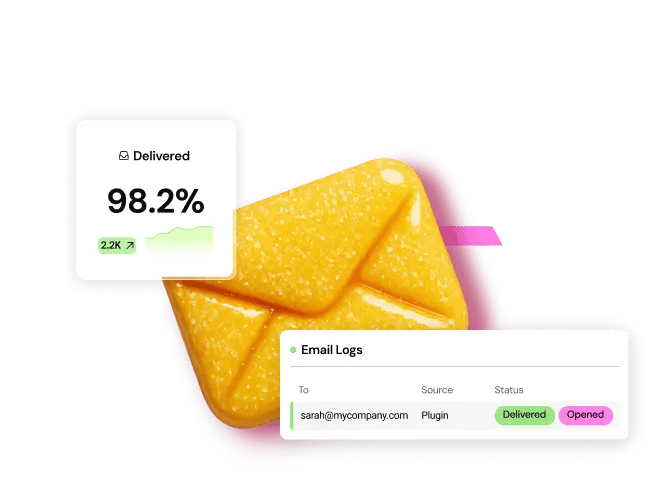
- Reliable Communication: Critical transactional emails (like form submissions or purchase receipts) must be delivered reliably. The Site Mailer by Elementor plugin solves the problem of unreliable WordPress email delivery by providing a simple, zero-configuration solution that guarantees your critical communications reach the inbox.
- Integrated Email Marketing: The Send by Elementor platform completes the growth cycle. It allows you to build email lists, create converting emails with AI, and launch powerful automated workflows directly from your Elementor forms, all without relying on complex third-party integrations.
The Role of AI in Scaling SEO Workflows
AI is fundamentally changing the efficiency of web creation and content strategy. The best platforms integrate AI at the strategic level, not just the content level.
| Elementor AI Product | SEO Contribution | Workflow Acceleration |
| AI Site Planner | Generates a structured sitemap and wireframe based on best practices. | Cuts days of initial planning and wireframing down to minutes, ensuring a logical site hierarchy from the start. |
| Elementor AI (Content) | Generates high-quality, relevant content and allows for tone refinement and translation within the editor. | Overcomes writer’s block and scales content creation quickly, ensuring every section has descriptive, unique copy. |
| Elementor AI (Code) | Generates custom CSS and HTML snippets on demand. | Allows non-developers to implement pixel-perfect adjustments and add advanced schema markup, enhancing technical control without code expertise. |
This integrated AI suite, especially the ability to generate a full site plan in minutes using the AI Site Planner and then apply generative features with Elementor AI, represents a massive leap in SEO workflow efficiency.
How to Choose the Right Builder for Your SEO Goals
Selecting the correct platform depends entirely on your specific goals and technical comfort level.
Strategy 1: The Small Business Owner/DIYer
You need speed and simplicity above all else. You want a professional result without needing to learn code or manage complex server settings.
- Focus: Ease of use, clean design, and automated technical SEO.
- Recommended Stack: Start with the Elementor platform using the free Hello Biz theme, which provides a guided setup and professional, business-ready templates. Pair it with the free Elementor Website Builder for design and upgrade to Elementor Hosting for guaranteed speed and unified support.
Strategy 2: The Freelancer/Agency Professional
You require limitless customization, maximum performance, and the ability to manage multiple client sites efficiently. You need the freedom to implement advanced SEO strategies.
- Focus: Technical control, extensibility, speed, and advanced workflow tools.
- Recommended Stack: Elementor Pro for the Theme Builder and dynamic capabilities. Combine this with the minimalist Hello Theme for maximum speed. Utilize Elementor AI and the AI Site Planner to accelerate client discovery and content creation. Use Elementor Hosting to provide clients with a pre-optimized, fully supported foundation.
Strategy 3: The E-commerce Specialist
Your primary metric is conversion rate, meaning speed and product page optimization are critical.
- Focus: Product schema, page speed (CWV), and visual control over the checkout flow.
- Recommended Stack: Elementor Pro with the WooCommerce Builder is non-negotiable for customizing the core shop experience. Bundle this with eCommerce Hosting for the guaranteed speed needed to handle high-traffic shopping carts. Ensure you are using the Image Optimizer by Elementor to keep product galleries loading instantly.
The Long-Term Perspective: Total Cost of Ownership
When evaluating “which website builder is best for SEO,” many beginners focus only on the low introductory monthly fee. However, a truly SEO-friendly platform offers the best Total Cost of Ownership (TCO).
A closed SaaS platform might seem cheap initially, but the lack of flexibility and the need to pay for mandatory high-tier plans to access essential SEO features (like custom code injection, schema, or e-commerce) often leads to much higher long-term costs. Furthermore, if you decide to leave, you lose all your content, designs, and data—a significant future cost.
The open-source nature of WordPress combined with Elementor gives you:
- Data Ownership: You always own your website files, ensuring you have data and design freedom.
- Competitive Pricing: You retain the freedom to choose your hosting provider and plugins, fostering competitive pricing.
- Scalability: The platform scales from a free personal blog to a massive, custom e-commerce operation without hitting an artificial “feature wall.”
Elementor’s full platform approach, where the Elementor Pro builder is bundled with Elementor Hosting, provides the predictable monthly cost of a SaaS solution while retaining the foundational freedom of WordPress. This is the optimal long-term strategy for sustained SEO growth.
Frequently Asked Questions
What is the most important SEO ranking factor for a website builder?
The most critical factor is Site Performance, specifically how the builder helps you achieve excellent scores for Google’s Core Web Vitals (LCP, INP, and CLS). A builder that produces clean, lightweight code and integrates with high-speed hosting (like the Elementor and Google Cloud Platform combination) provides the best foundation for success. Everything else, from meta tags to content, relies on a fast-loading page.
Does Elementor slow down a website for SEO?
No, the idea that Elementor inherently slows down a website is a misconception rooted in old coding practices. The Elementor Website Builder is continuously optimized and includes features (like Improved Asset Loading and Optimized DOM Output) specifically designed to generate lean code. When paired with a minimalist theme like Hello and enterprise-grade infrastructure like Elementor Hosting, Elementor sites consistently deliver top-tier performance and strong Core Web Vitals scores.
Can I use a separate SEO plugin with Elementor?
Absolutely, yes. This is one of the biggest advantages of choosing Elementor over closed SaaS platforms. Elementor is fully compatible and often features deep, seamless integrations with the most powerful WordPress SEO plugins, including Yoast SEO and Rank Math. These tools allow you to manage complex technical SEO elements like canonical tags, schema markup, and advanced content analysis directly within or alongside the visual editor.
How does the Elementor AI Site Planner help with SEO?
The AI Site Planner helps with the crucial planning phase of SEO. By generating a comprehensive sitemap and site structure in minutes, it ensures your website has a logical, hierarchical architecture from day one. Good site structure improves crawlability and helps search engines understand the flow and importance of your content, leading to better organic visibility.
What is the difference between an H1 tag and a Title Tag for SEO?
The Title Tag is the blue, clickable link that appears in the Google search results page (SERP). It is a major ranking factor and should be unique for every page. The H1 tag is the main, visible heading on the page itself. While they are often similar, they serve different HTML purposes, and the best SEO practice is to be able to control both independently, which Elementor and its integrated SEO plugins allow you to do.
Is Elementor good for building a large, content-heavy blog for SEO?
Yes, Elementor is excellent for large content sites. You use the Elementor Pro Theme Builder to design dynamic templates for blog posts and archives, ensuring a consistent, beautiful, and performant look across thousands of articles. You also retain the full power of the WordPress CMS and its content-scaling capabilities, which closed builders often lack.
How do I make sure my product pages rank high for e-commerce SEO?
Focus on three things: speed, rich snippets, and unique content. Use Elementor’s WooCommerce Builder and eCommerce Hosting for speed. Implement product schema correctly (via a dedicated SEO plugin) to get rich snippets (star ratings) in the SERP. Finally, use Elementor’s design flexibility to incorporate detailed, unique, and long-form descriptions into your product pages.
Do I need to be a coding expert to fix technical SEO issues with Elementor?
No. The platform is designed to make advanced features accessible. Tools like the Image Optimizer by Elementor automate image optimization. For custom needs, the Elementor AI code assistant can generate custom CSS or HTML snippets simply by describing what you want to achieve in plain language. This allows you to apply advanced technical fixes without learning to code.
How does web accessibility affect my SEO ranking?
Web accessibility (WCAG compliance) improves the overall user experience and site structure. A well-structured, accessible site loads faster and is easier for all users and search engine crawlers to navigate. Tools like Ally by Elementor help you achieve this standard, providing a significant indirect benefit to your SEO performance and reducing compliance risk.
What should I look for in a website builder’s marketing features for organic growth?
Look for integrated tools. Organic growth is about lead capture and retention. Look for a builder with a robust Form Builder and an integrated platform like Send by Elementor. This allows you to capture traffic generated by SEO and immediately nurture those leads with automated, reliable email campaigns, maximizing your traffic ROI.
Looking for fresh content?
By entering your email, you agree to receive Elementor emails, including marketing emails,
and agree to our Terms & Conditions and Privacy Policy.